How to Extract Spring Specs From Supplier PDFs

5/20/2026

How to extract spring dimensions, rates, materials, loads, end types, and product family data from supplier PDFs without turning the project into manual entry.

Editorial illustration showing extract spring specs as a structured distributor product data workflow.

How to Extract Spring Specs From Supplier PDFs matters because spring specs depend on category-specific meaning, so a generic table extractor can miss relationships between force, length, stroke, diameter, and material. For teams handling spring supplier catalogs and datasheets, this is not just an admin task. It affects how quickly new SKUs go live, how well customers can search and filter products, how confidently sales teams answer questions, and how cleanly data moves into Shopify, a PIM, ERP, or quoting workflow.

The goal is not to create more copy-and-paste work. The goal is to build a repeatable process around extract spring specs from supplier PDFs: source documents come in, product data is extracted with context, exceptions are reviewed, and the final output is structured enough to be reused across ecommerce, catalog, and sales operations.

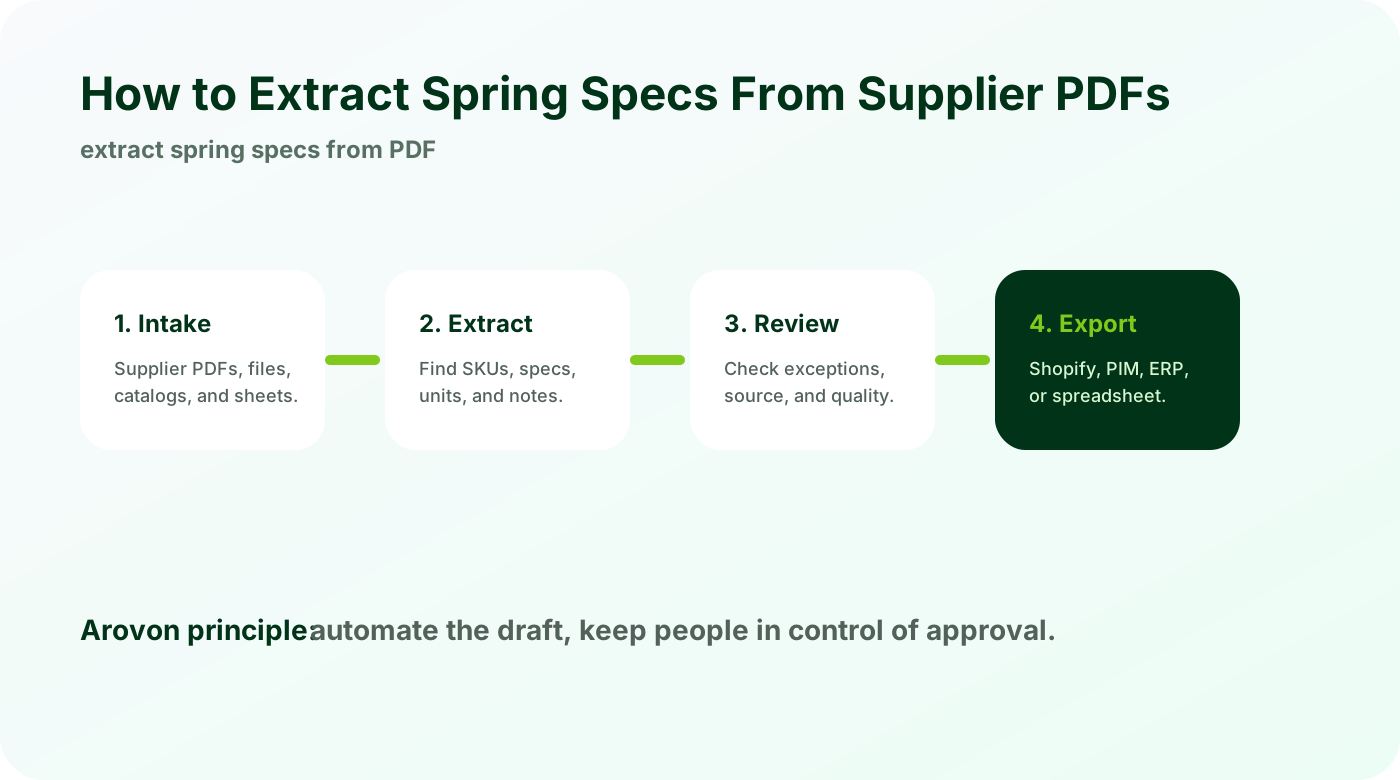
Workflow diagram for how to extract spring specs from supplier pdfs.

Why this becomes a bottleneck

Most distributor teams do not struggle because they lack product knowledge. They struggle because supplier data arrives in formats that were never designed for downstream systems. A PDF may look clear to a product specialist, but the same file can be difficult for an ecommerce import because values are spread across tables, headings, diagrams, footnotes, and product-family notes.

That creates a slow handoff between people who understand the products and people responsible for publishing them. One person copies attributes, another rewrites descriptions, someone else checks images, and a final spreadsheet is prepared for import. Each step introduces delays and small inconsistencies. Over hundreds or thousands of SKUs, those small inconsistencies become a catalog-quality problem.

Common real-world examples

The problem shows up differently by product category, but the pattern is familiar. A distributor may receive gas springs with force in newtons and stroke in millimeters. Another supplier may send compression springs where wire diameter and outside diameter define fit. A third case might involve catalog pages where load ratings appear in diagrams or notes. In all three cases, the source document contains useful information, yet the data still needs interpretation before it can become a clean product record.

This is why a simple text extraction or one-off AI prompt is usually not enough. Product data needs field names, units, category rules, variant relationships, source traceability, and a review workflow. Without those pieces, teams can produce text quickly but still end up with product rows that are hard to trust.

A practical workflow

A better process treats supplier documents as input to a controlled product-data workflow. The details vary by category and platform, but the basic sequence is consistent:

  1. Choose the right schema for the spring type.

  2. Extract dimensions, force values, rates, material, finish, ends, and product family.

  3. Keep source page references for review.

  4. Normalize units and attribute names across suppliers.

  5. Create ecommerce descriptions and filters from the reviewed data.

This sequence is important because it separates extraction from publishing. Extraction creates a draft dataset. Review turns that draft into trusted product data. Export then sends the approved data to the system that needs it. When those steps are mixed together, errors are harder to see and harder to fix.

What good output should include

Good output is not just a spreadsheet with more columns. It should be usable by the next system and understandable by the next person. For ecommerce, that means stable product titles, clean handles or identifiers, useful descriptions, normalized attributes, category-specific specs, image references, alt text, and SEO fields where appropriate. For PIM or ERP handoff, it means consistent field names, required values, units, and controlled vocabulary.

Area

What to check

Why it matters

Required fields

SKU, title, category, key attributes, and status are present

Missing basics block imports and create manual cleanup

Attributes

Names, values, and units are normalized across suppliers

Clean filters and comparisons depend on consistency

Source evidence

Rows can be traced back to the supplier page or file

Reviewers need confidence before publishing

Export format

Columns match Shopify, PIM, ERP, or internal templates

A good extraction still fails if the export is wrong

Mistakes to avoid

The fastest-looking approach is often the one that creates rework later. Teams should be especially careful about using one generic schema for every spring type, mixing imperial and metric values without clear units, and forgetting application notes that matter to buyers. These mistakes do not always appear immediately. They usually show up later as failed imports, broken filters, duplicate products, inconsistent descriptions, or sales questions that should have been answered by the product page.

Another common mistake is to judge success only by whether data was extracted. The real test is whether the data can be reviewed, corrected, exported, and reused. If a workflow produces rows that require another long manual cleanup stage, it has only moved the bottleneck instead of removing it.

How to measure success

A useful measurement system should combine speed and quality. Track how long it takes to process a supplier file, how many rows need manual correction, which fields are most often missing, and how many errors are found after import. Over time, those metrics show whether the process is becoming more repeatable or just faster at producing inconsistent data.

  • Time from supplier file received to product data ready for review.

  • Percentage of rows with all required category fields populated.

  • Number of unit, naming, or variant corrections required before export.

  • Import success rate for Shopify, PIM, ERP, or internal templates.

  • Reduction in repeated manual copy-and-paste work for skilled staff.

Where Arovon fits

Arovon helps spring distributors turn technical supplier PDFs into reviewable data that supports search, product pages, and faster catalog updates.

For distributors, the advantage is not only speed. It is control. A repeatable workflow makes it easier to onboard new suppliers, refresh old catalogs, prepare ecommerce imports, support RFQ processes, and keep product data consistent as the business grows.

All posts