How Much Should Product Data Automation Cost?
5/21/2026
A practical pricing guide for distributors comparing manual catalog labor, outsourcing, and product data automation for supplier PDFs and ecommerce imports.
A practical pricing guide for distributors comparing manual catalog labor, outsourcing, and product data automation for supplier PDFs and ecommerce imports.
Skim this first
Use this article to understand cost drivers, not to chase one universal price.
Pricing depends on document complexity, SKU volume, review workflow, exports, and integration needs.
The right budget conversation starts with a representative sample, not a guess.
Best next move
Estimate document types, product families, and expected row volume.
Separate setup, extraction, review, export, and integration effort.
Ask what is included when exceptions, source links, or schema changes appear.
For industrial distributors, the practical question is not whether software can read a document once. The question is whether the team can repeat the workflow across suppliers, keep technical values traceable, and export rows that are safe to use.
This guide focuses on product data automation pricing from an operations point of view: what to standardize, what to review, and where automation should support people rather than hide uncertainty.
Quick facts
Cost drivers: SKU volume, document complexity, review depth, and export requirements.
Best benchmark: Compare against loaded labor cost per reviewed product row.
Pilot scope: One supplier, one product family, and a clear before/after time study.
Product data automation cost makes sense only when the scope, review standard, and export target are clear.
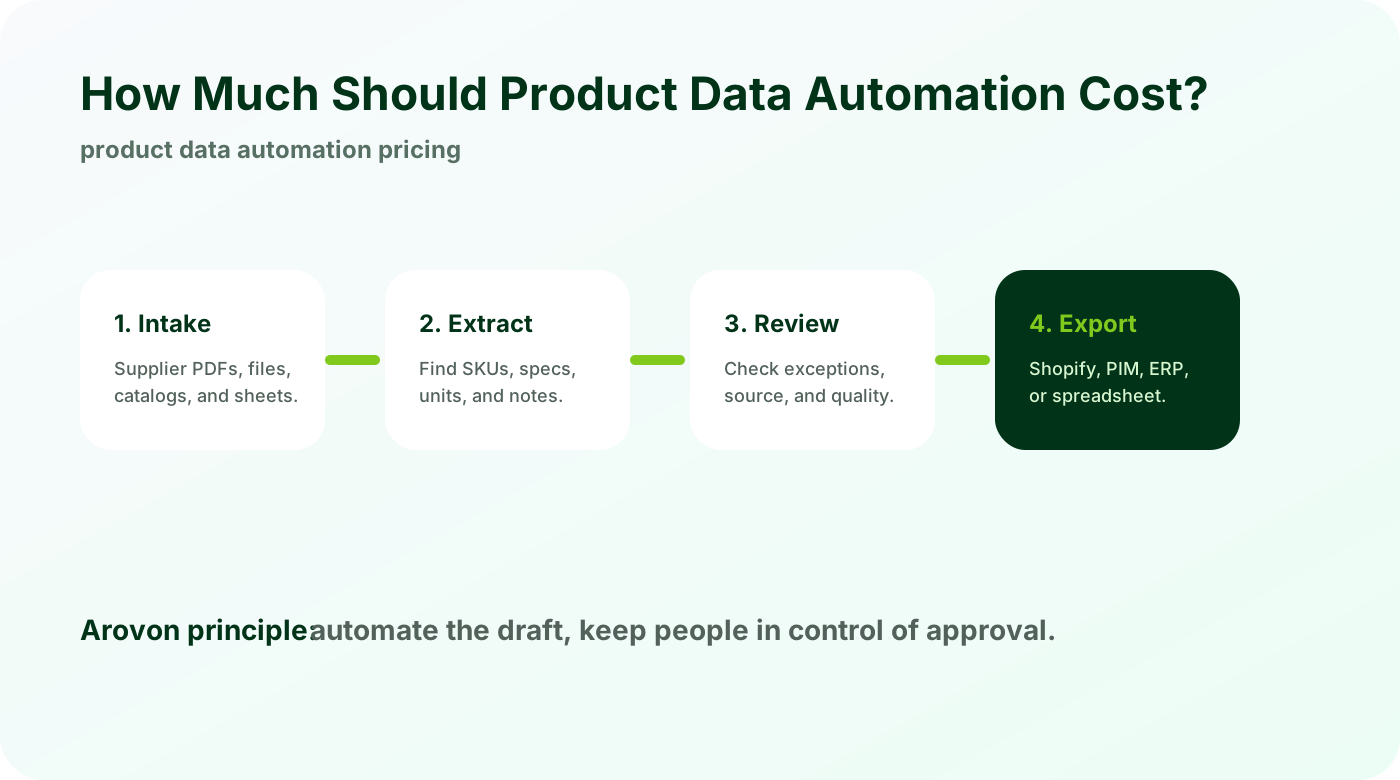
Start with the cost of the current workflow
The right pricing conversation starts with your current process. Count every step from opening supplier files to reviewing the final product row.
Track minutes per SKU for extraction, cleanup, review, and import.
Include manager review, rework, and delayed launch cost.
Separate one-time cleanup from recurring supplier onboarding.
Most teams discover the spreadsheet cost is higher than expected because the work is fragmented across product, ecommerce, and sales support roles.
What changes the price of automation
Automation cost depends on the complexity of the documents and the level of review your catalog requires.
Clean spreadsheets cost less to process than scanned catalog PDFs.
Category-specific schemas are more valuable for technical products.
Shopify, PIM, and ERP exports may need different mapping rules.
A low quote that ignores schema, review, and export quality usually becomes expensive later when the team has to fix the rows by hand.
How to evaluate whether the price makes sense
Compare the automation proposal against the cost of producing approved rows, not against the cost of software alone.
Calculate cost per approved SKU.
Measure calendar days saved for new product launches.
Look for source links, confidence signals, and review workflow.
The best pilot produces a decision: either the workflow saves enough time to scale, or the scope should be narrowed before more money is spent.
Checklist
Measure current minutes per SKU.
Estimate loaded labor cost, not only hourly wage.
Define the export format before pricing the project.
Ask whether review tooling is included.
Run a pilot before committing to a full catalog.
Watch for
Low prices that exclude review workflow or source traceability.
Pricing based only on page count when table complexity is the real driver.
Hidden costs for mapping, export formats, or exception handling.
Make it repeatable
Start with a priced sample or pilot.
Compare total workflow cost, not just extraction cost.
Use pilot exceptions to forecast future batches more accurately.
Price automation against real catalog work
Arovon can process a sample supplier document so your team can compare manual effort, reviewed rows, and export quality before scaling.