How to Extract Product Data From Supplier PDFs
5/20/2026
A practical guide for industrial distributors that need to turn supplier PDFs, catalogs, and datasheets into clean product data for ecommerce, PIM, ERP staging, or Shopify CSV imports.
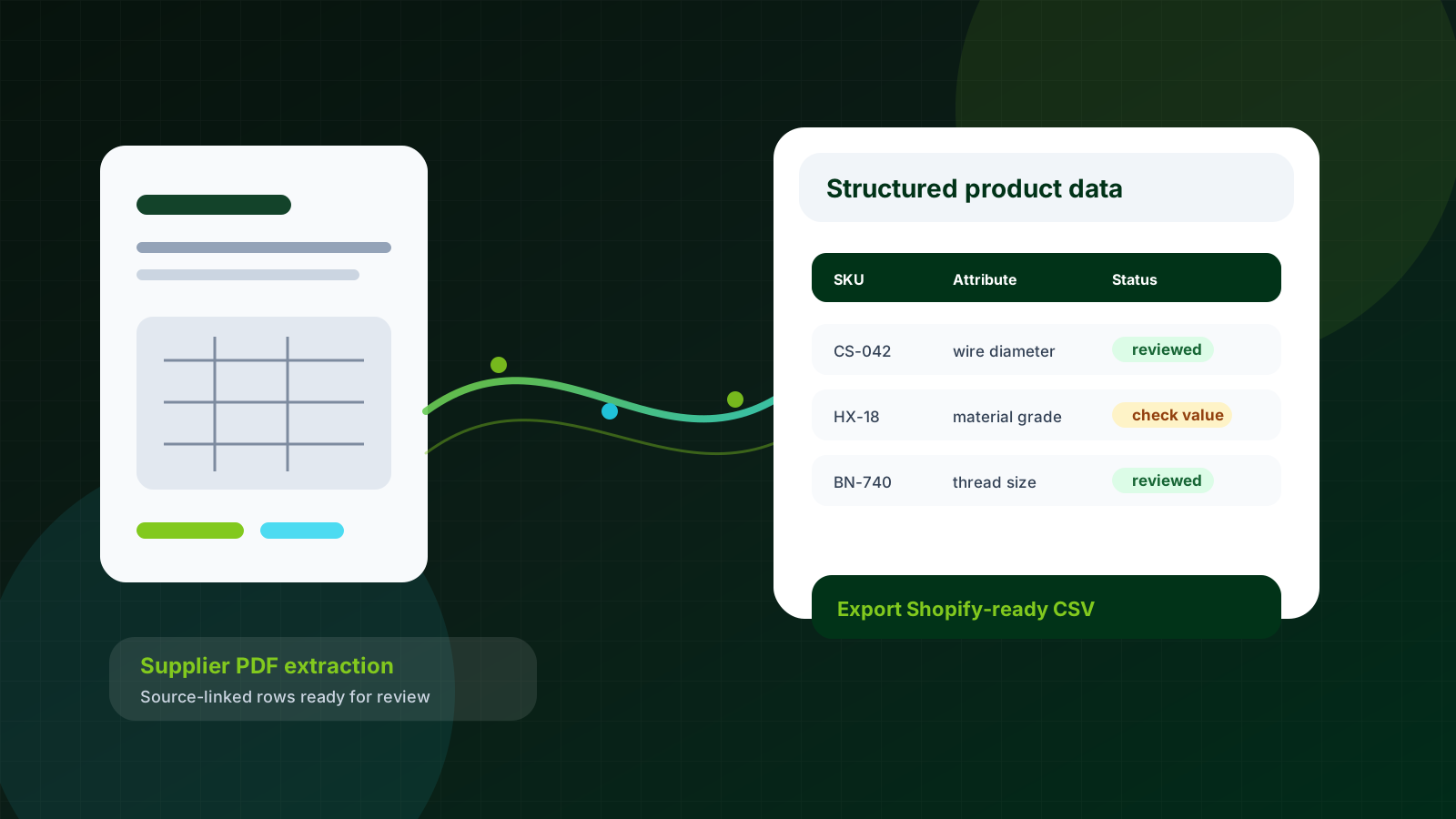
Supplier PDFs are full of useful product data, but they were not designed for ecommerce. Industrial distributors usually have the same product data problem in different packaging: one supplier sends a long catalog PDF, another sends individual datasheets, and a third sends a spreadsheet with unclear column names.
Skim this first
Use this article as a practical lens for how to extract product data from supplier pdfs.
Look for the exact place where supplier data stops being useful to buyers.
The goal is cleaner decisions, not just more catalog text.
Best next move
Start with one supplier file or product family.
Define which fields must become searchable, comparable, or reviewable.
Export only rows that are clear enough for the receiving system.
The storefront, PIM, ERP, and sales team all need clean data, but the source files were built for people to read one product at a time. A good extraction workflow keeps people in the loop while stopping the first draft from becoming manual copy-paste work.
Start by defining the product data you need
Do not start by asking whether the system can extract everything. That usually creates another cleanup project. Start with the fields that make a product sellable, searchable, and safe to import.
SKU or manufacturer part number
Product name and short description
Category or product family
Technical attributes with units
Material, finish, grade, or rating
Package quantity and ordering notes
Good catalog work turns supplier material into buyer confidence, one reviewed field at a time.
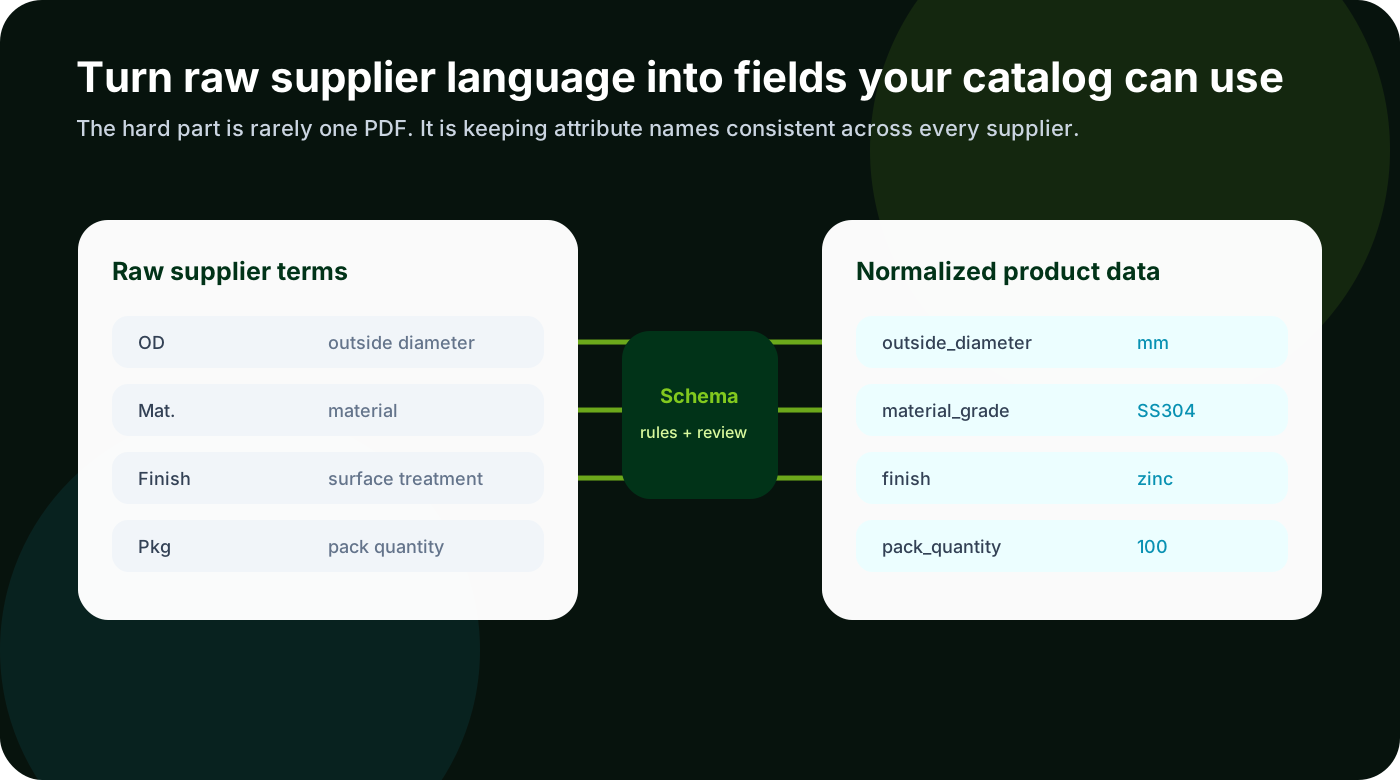
For a spring catalog, required fields might include free length, wire diameter, outside diameter, material, force, and end type. For fasteners, thread size, length, grade, head style, drive type, material, and finish matter more. Category-specific schemas improve extraction because the system knows which fields are expected for that product family.
Use a workflow that keeps the source document attached
PDF extraction fails when it becomes a black box. A distributor needs to know where a value came from, why the system chose it, and whether a human has reviewed it. The workflow should preserve source links and page references so review does not become guesswork.
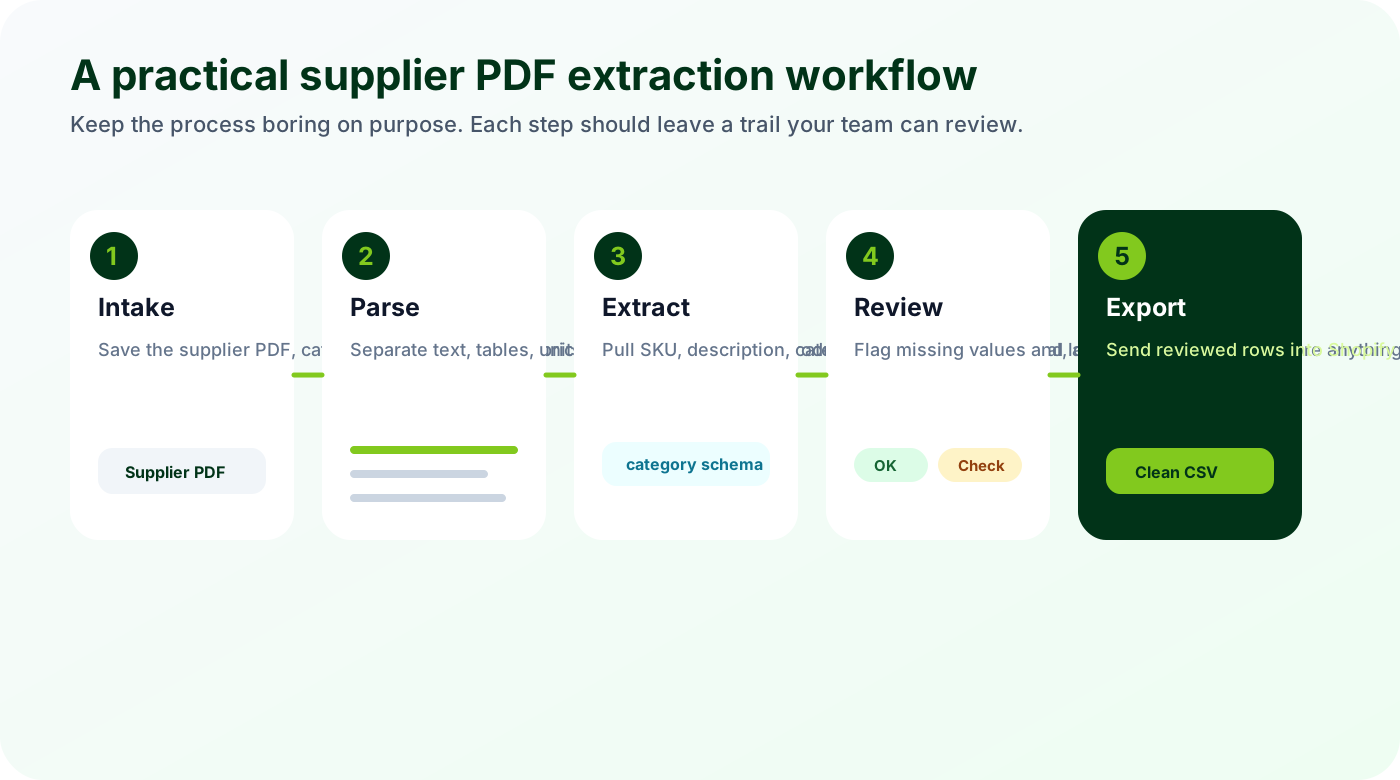
Start with the supplier file rather than a blank spreadsheet.
Parse tables, footnotes, drawings, and text separately.
Map raw supplier terms into your product schema.
Review low-confidence fields before export.
The goal is not to make PDFs searchable. The goal is to turn supplier documents into rows your catalog team can trust.
Parsing is not the same as product data extraction
A PDF parser can pull text and tables out of a document. That is useful, but it is not enough. Product data extraction has to understand the shape of the catalog: which rows belong to one product, which notes apply to a whole table, which values are variants, and which fields should become filters or product attributes.
This matters with technical products because a small mistake can create a bad buying experience. If a value like 12 appears without its unit, the customer may not know whether it means 12 mm, 12 inch, 12 pieces, or 12 pounds. If SS304 and stainless steel 304 become separate filters, buyers will miss products that should have appeared together.
Build QA into the process before the first import
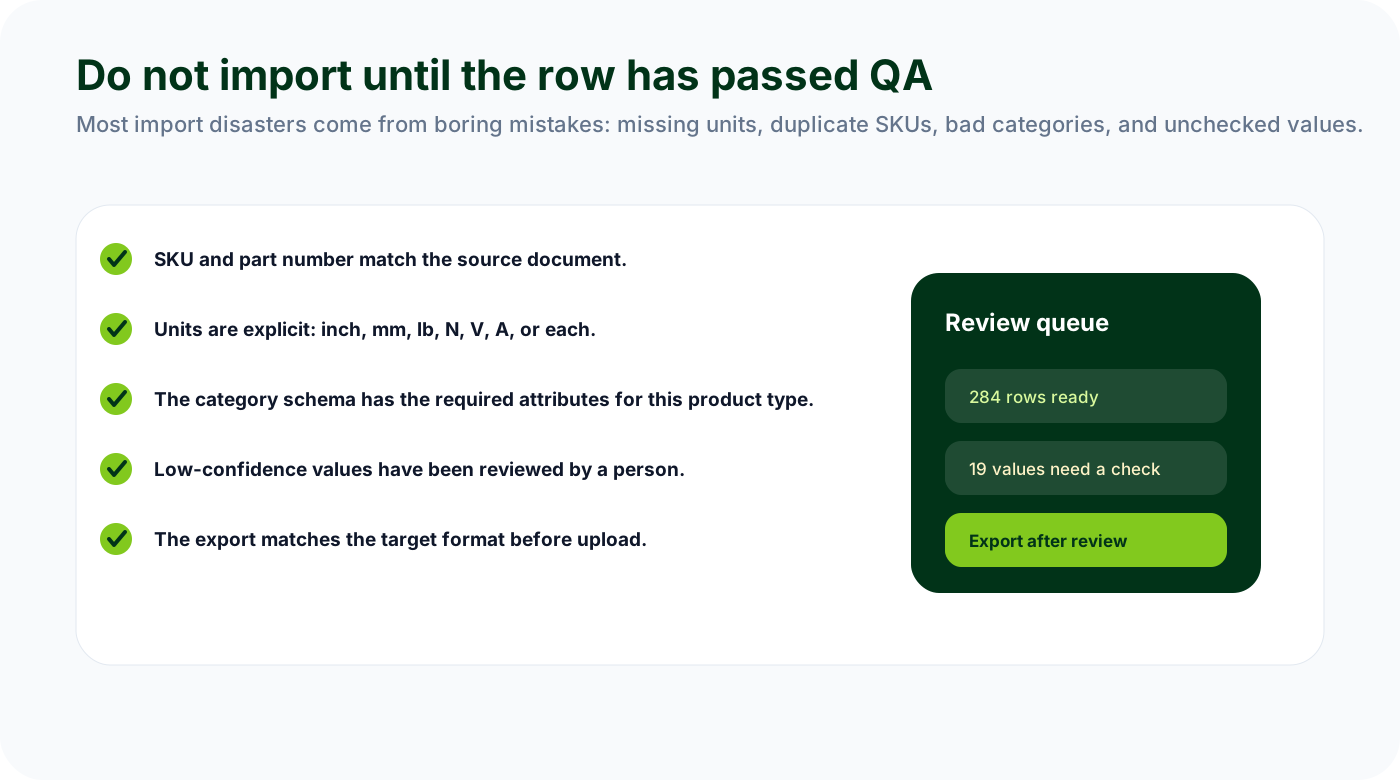
The review step is where automation becomes trustworthy. Your team should not be reading every PDF line again. They should be checking exceptions, missing values, low-confidence fields, and anything that would damage the catalog if imported incorrectly.
Duplicate SKU: check against the existing catalog and supplier item list.
Missing unit: do not import dimensions or force values without a unit.
Wrong category: confirm the product family before applying a schema.
Unclear value: send low-confidence rows to review instead of hiding the issue.
Bad export column: validate the CSV against the target system before upload.
Shape the output for the system that receives it
The same extracted product row can feed several systems, but each system wants a different shape. Shopify needs handles, titles, descriptions, tags, product types, variants, and option values. A PIM might need attribute groups and completeness rules. ERP staging might care more about item numbers, units, price breaks, and supplier references.
Treat export as part of the extraction workflow, not an afterthought. If the target is Shopify, validate required CSV columns before upload. If the target is a PIM, map supplier fields to the PIM data model before the migration starts. If the target is internal review, give the team a spreadsheet with source links and clear status fields.
Watch for
Unclear units or names that make products hard to compare.
Review work hidden in spreadsheets, emails, or repeated manual checks.
Fields that should power filters but remain trapped in prose.
Make it repeatable
Keep source evidence visible for every important value.
Separate clean rows from rows that need expert review.
Use the first pass as a repeatable template, not a one-off cleanup.
A practical first pilot
Choose one supplier PDF with 50 to 300 SKUs. Define the required fields, extract the draft rows, review the exceptions, and export one clean CSV. Measure review time, missing fields, and rework. That gives you a real business case without asking the team to rebuild the whole catalog at once.