Manual Product Data Entry vs Product Data Automation
5/21/2026
A practical comparison of manual catalog data entry and product data automation, including cost, speed, accuracy, review workload, and when each approach still makes sense.

Manual product data entry feels safe because a person touches every field. That works when the volume is small and the products are simple. It breaks down when a distributor needs to onboard hundreds or thousands of SKUs from supplier PDFs and catalogs.
Skim this first
Use this article as a practical lens for manual product data entry vs product data automation.
Look for the exact place where supplier data stops being useful to buyers.
The goal is cleaner decisions, not just more catalog text.
Best next move
Start with one supplier file or product family.
Define which fields must become searchable, comparable, or reviewable.
Export only rows that are clear enough for the receiving system.
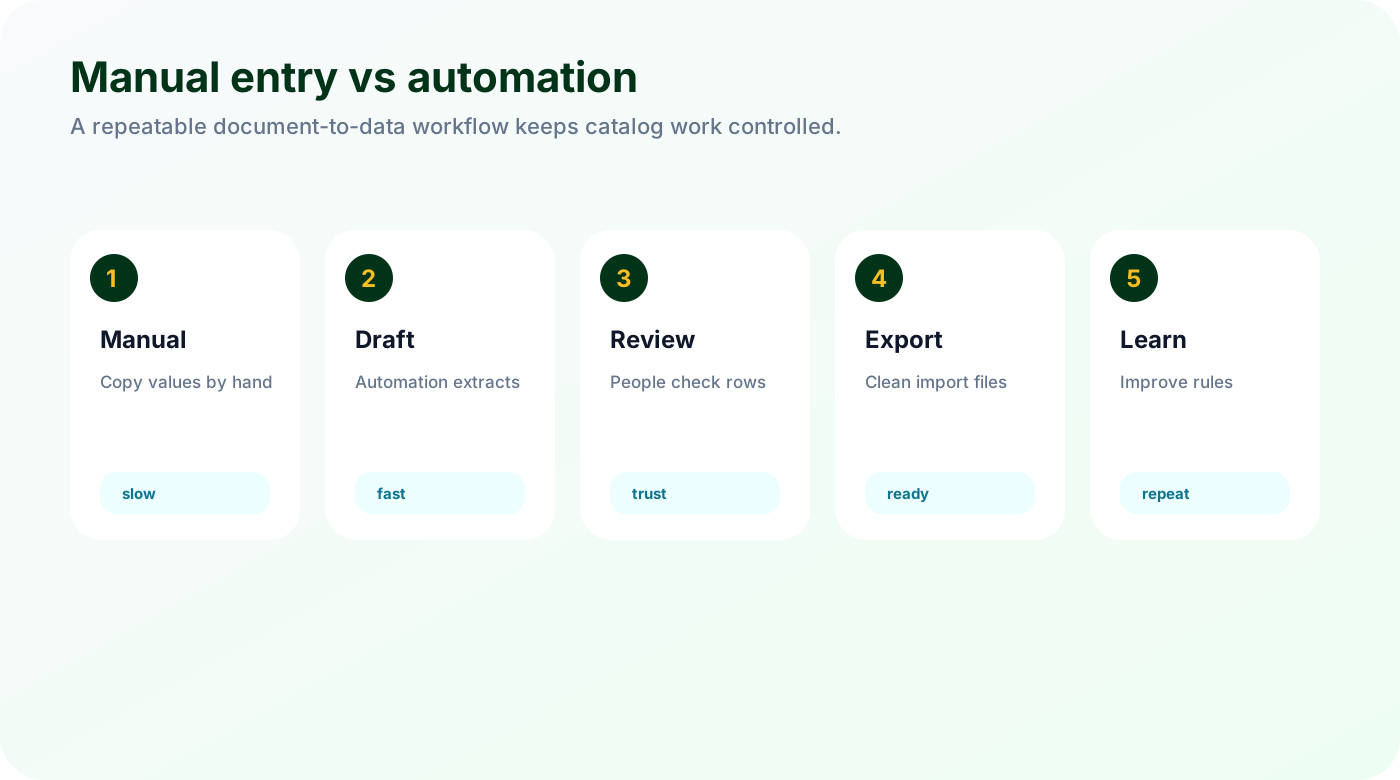
Product data automation changes the job. Instead of typing every value, the team reviews extracted rows, fixes exceptions, and approves exports. The work does not disappear, but the slowest part moves from copying to checking.
The right answer is not always automation. A one-off product with unusual documentation may still be easier by hand. But when the same patterns repeat across catalogs, manual entry becomes an expensive bottleneck.
Quick facts
Manual entry: Flexible, familiar, but slow and hard to scale.
Automation: Fast first draft, better consistency, still needs review.
Decision point: SKU volume, document quality, and repeated product patterns.
Good catalog work turns supplier material into buyer confidence, one reviewed field at a time.
Cost is more than hourly labor
Manual entry looks simple on a task list, but the real cost includes searching, typing, formatting, checking, importing, and fixing mistakes later.
Manual work includes finding values, retyping them, checking units, formatting descriptions, and fixing import mistakes.
Opportunity cost matters when product specialists spend hours on copy-paste work.
Cleanup cost appears later when bad data reaches filters, search, or sales reps.
The visible cost is labor. The hidden cost is delay. Products that sit in a spreadsheet are not helping customers buy.
Accuracy depends on process, not just people
Accuracy is not a personality trait. It comes from a process: source references, required fields, validation rules, and a person who can review exceptions.
Humans make tired mistakes during repetitive work.
Automation can repeat a wrong rule quickly if nobody reviews it.
The best workflow combines extraction with checks and source references.
Manual entry and automation both need quality control. The difference is where the team spends attention.
When each approach makes sense
The choice depends on volume and repeatability. Manual work is fine for small unusual batches. Automation pays off when similar documents and categories repeat.
Use manual entry for tiny batches, unusual one-off products, or documents that need heavy interpretation.
Use automation for repeated supplier formats, large SKU batches, and category-specific attributes.
Use a hybrid workflow when automation drafts the rows and people approve exceptions.
Most distributors end up with a hybrid model. That is usually the practical choice.
Checklist
Estimate minutes per SKU today.
Count repeated supplier formats.
List required fields by category.
Measure rework after imports.
Pilot automation on one supplier before changing the whole process.
Watch for
Unclear units or names that make products hard to compare.
Review work hidden in spreadsheets, emails, or repeated manual checks.
Fields that should power filters but remain trapped in prose.
Make it repeatable
Keep source evidence visible for every important value.
Separate clean rows from rows that need expert review.
Use the first pass as a repeatable template, not a one-off cleanup.
Compare your manual process with an automated draft
Send Arovon a sample supplier PDF and compare the extracted rows with what your team would normally type by hand.