PDF to Structured Product Data: Complete Guide for Distributors
5/21/2026
A complete distributor guide to turning supplier PDFs into consistent product records with fields, units, categories, source links, and review status your team can trust.
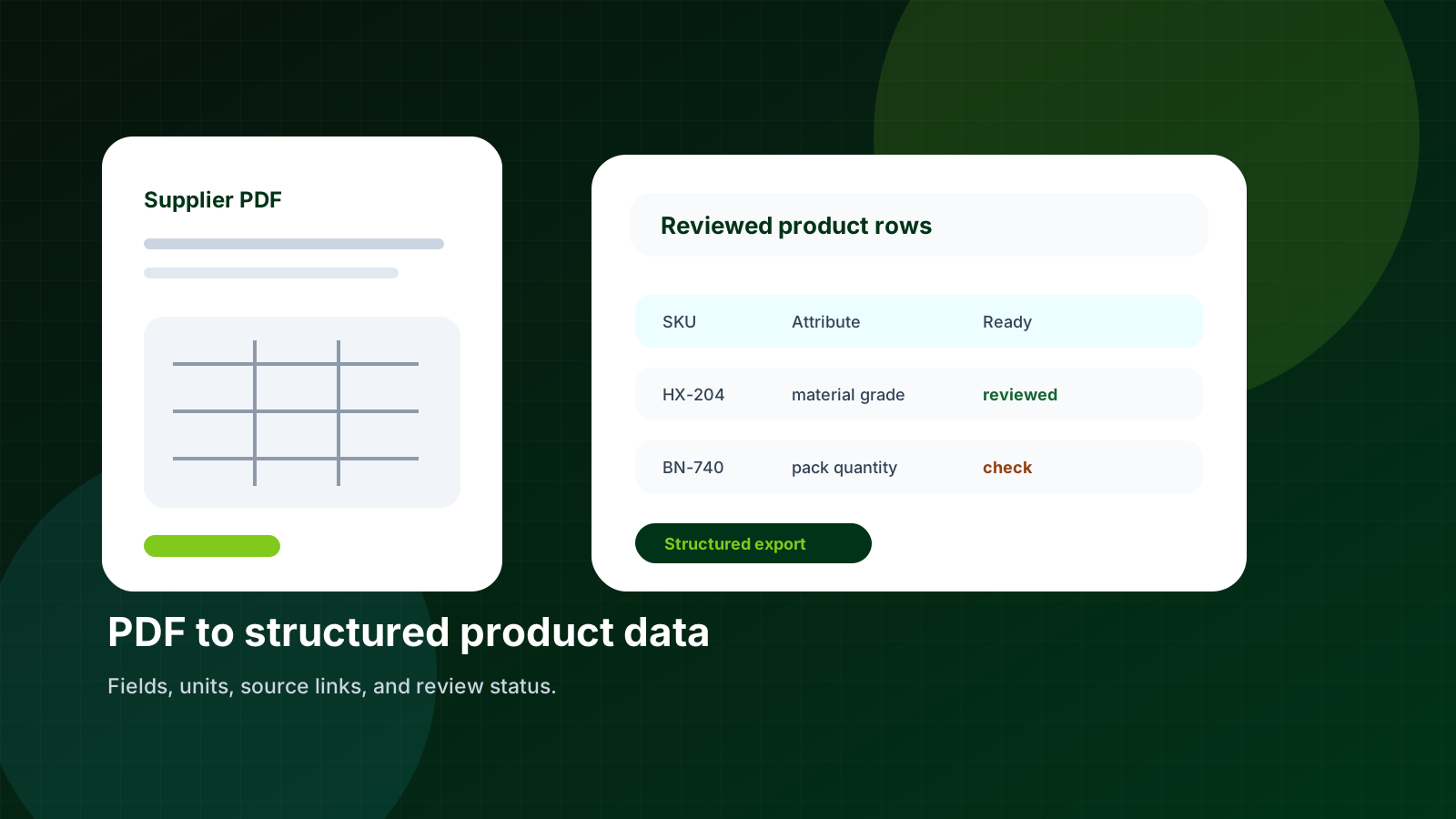
A PDF can describe a product well enough for a buyer to read it. That does not mean it is ready for a catalog, a PIM, an ERP import, or a Shopify product page. Structured product data needs fields, units, categories, and a clear status for review.
Skim this first
Use this article as a practical lens for pdf to structured product data: complete guide for distributors.
Look for the exact place where supplier data stops being useful to buyers.
The goal is cleaner decisions, not just more catalog text.
Best next move
Start with one supplier file or product family.
Define which fields must become searchable, comparable, or reviewable.
Export only rows that are clear enough for the receiving system.
The difference sounds small until a team has to prepare hundreds of SKUs. A catalog page may show dimensions in a table, material in a footnote, and ordering rules in a paragraph under the table. If those pieces land in the wrong place, the storefront gets messy fast.
A good PDF-to-data process keeps the original document close, extracts a draft, normalizes fields into your schema, and gives the team a review queue instead of a blank spreadsheet.
Quick facts
Input: Supplier PDFs, datasheets, price files, and catalog pages.
Output: Rows with SKU, title, attributes, units, category, source, and review state.
Best pilot: One supplier, one product family, and 50 to 300 SKUs.
Good catalog work turns supplier material into buyer confidence, one reviewed field at a time.
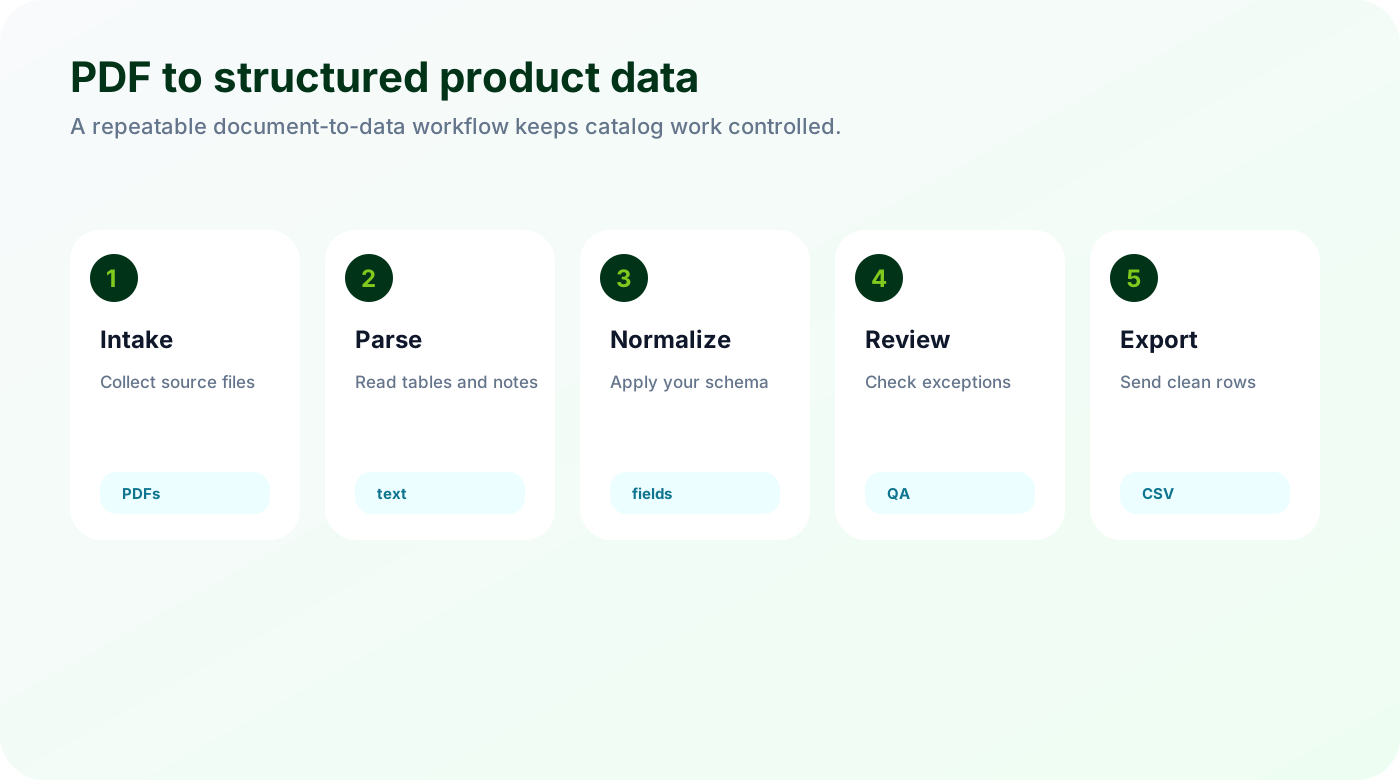
What structured product data actually means
Structured product data is product information broken into named fields that other systems can use. It replaces pasted catalog text with values a buyer can search, filter, compare, and import.
A row has one product or variant, not a pasted block of catalog text.
Attributes use consistent names such as outside_diameter_mm instead of whatever the supplier wrote.
Every technical value keeps its unit, source page, and review status.
Structured data is boring in the best possible way. A buyer can filter it, a merchandiser can review it, and another system can import it without guessing what a column means.
Why supplier PDFs are hard to convert
Supplier PDFs were designed for reading, not importing. A product table may look clean on the page, but the meaning often depends on headers, footnotes, drawings, and surrounding text.
Tables span several pages.
Notes below a table apply to multiple rows.
Units are sometimes shown once in a header, then omitted from each value.
One PDF may contain several product families with different required attributes.
The extraction tool has to understand context. Pulling text out of the file is only the first step. The useful work is deciding which value belongs to which SKU and how it should be named in your catalog.
Build the review loop before you export
The goal is not to skip review. The goal is to make review focused. A reviewer should see the extracted row, the source page, and the fields that need attention.
Flag missing units, empty required fields, duplicate SKUs, and low-confidence values.
Let reviewers compare the extracted row with the source page.
Only export rows that have passed the checks your team cares about.
Review is where trust is built. The team should spend time on exceptions, not retyping obvious values.
Checklist
Define required fields per product family.
Keep the source PDF and page reference attached.
Normalize units before import.
Use a review status column.
Export a small sample before processing a full catalog.
Watch for
Unclear units or names that make products hard to compare.
Review work hidden in spreadsheets, emails, or repeated manual checks.
Fields that should power filters but remain trapped in prose.
Make it repeatable
Keep source evidence visible for every important value.
Separate clean rows from rows that need expert review.
Use the first pass as a repeatable template, not a one-off cleanup.
Start with one supplier PDF
Arovon can process a sample supplier document and show the extracted rows, review fields, and export shape before you commit to a wider catalog project.