How to Prepare Supplier Data for BigCommerce B2B Catalogs
7/27/2026
A practical workflow for turning supplier PDFs, spreadsheets, and ERP rows into reviewed BigCommerce products, variants, custom fields, categories, and buyer filters.
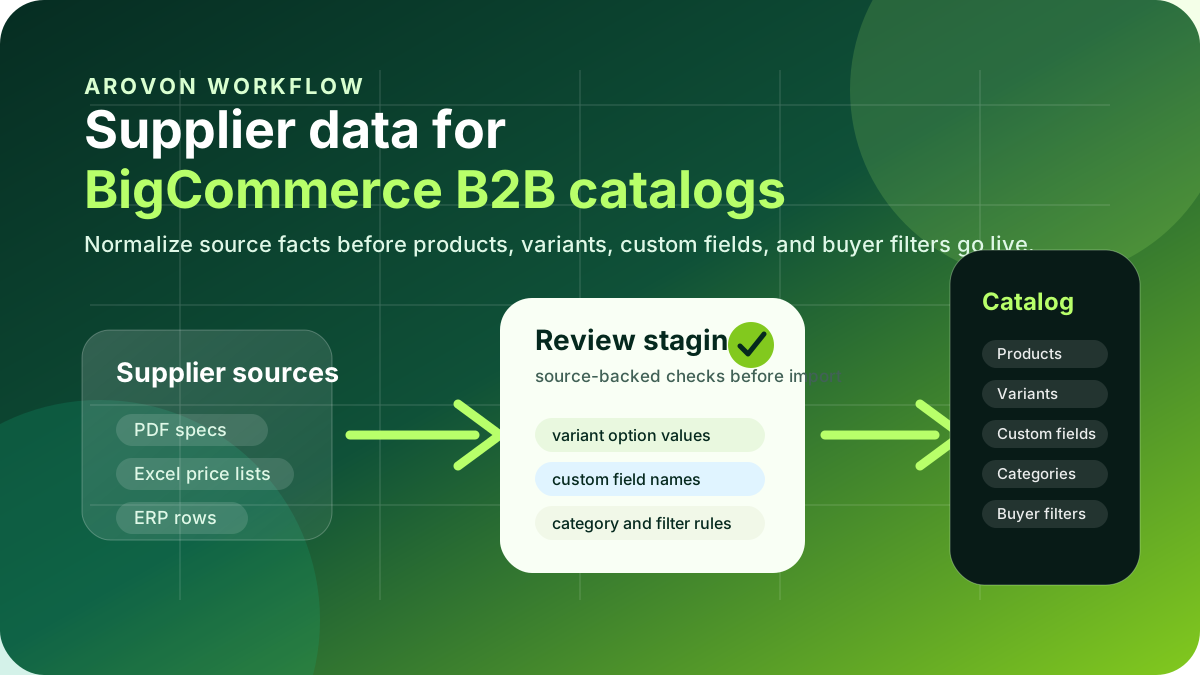
BigCommerce can handle serious B2B commerce work: account-specific catalogs, complex products, variant options, quote workflows, pricing integrations, and a storefront experience that buyers can use without waiting for a rep. The platform is not the hard part for most industrial distributors. The hard part is getting supplier data into a shape that BigCommerce can publish cleanly and buyers can trust.
Supplier data usually arrives as a mix of PDFs, spreadsheet tabs, ERP rows, price lists, images, and manufacturer descriptions. If that mix is pushed straight into BigCommerce, the catalog may technically import while still creating duplicate products, weak search filters, unusable custom fields, confusing variants, and product pages that sales teams do not want customers relying on.
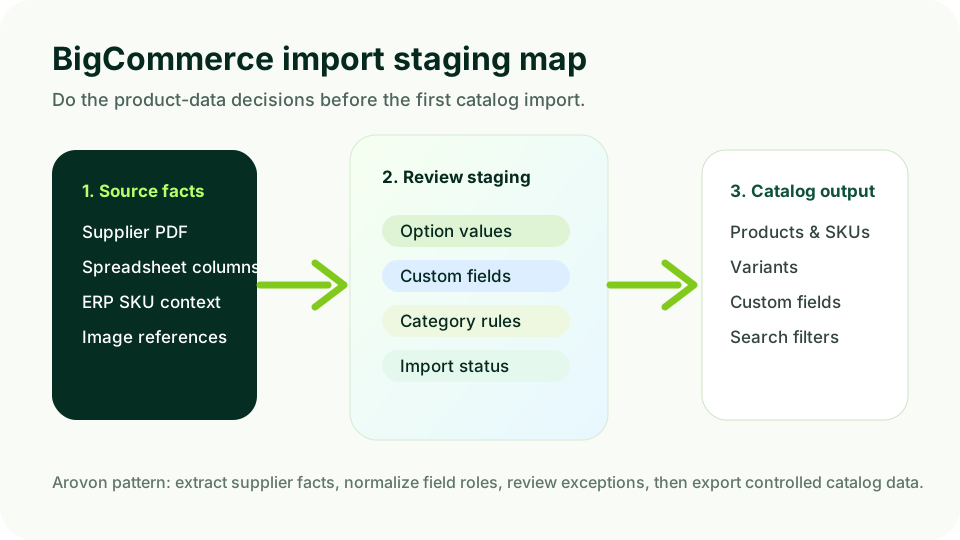
This guide explains how to prepare supplier data before it reaches BigCommerce. The goal is not a perfect master-data program. It is a practical staging workflow: extract facts from source files, decide where each fact belongs in the BigCommerce model, review exceptions, and export product data that supports B2B buyers.
Quick skim: what has to be ready before import
Product identity: which supplier items become products, variants, or separate SKUs.
Attribute roles: which facts become option values, custom fields, filters, descriptions, or internal review notes.
B2B context: account catalogs, pricing, availability, MOQ, pack size, and quote requirements should stay connected to ERP or the correct commercial system.
Review status: every imported row should show whether key facts came from a source document, were normalized, and were approved.
Start with the BigCommerce catalog model, not the supplier file
The first mistake is treating the supplier spreadsheet as the target schema. Supplier columns describe how that supplier organizes its own catalog. BigCommerce needs a buyer-facing structure: products, variants, SKUs, options, custom fields, categories, images, URLs, and searchable content.
BigCommerce documentation describes catalog APIs around products, variants, SKUs, images, and custom fields. Its B2B platform content also emphasizes custom catalogs, quote workflows, ERP integration, and multi-user account support. Those capabilities are useful only when upstream data has been mapped deliberately.
Create a staging table before import. It can live in a spreadsheet, database table, PIM staging area, or Arovon export. The important thing is that it separates source facts from channel decisions.
Source value: the exact text or measurement from the supplier file.
Normalized value: the cleaned value that will be used for comparison, filtering, or display.
BigCommerce destination: product field, variant option, SKU, custom field, category, description, or hold-for-review.
Source reference: PDF page, spreadsheet tab, supplier file name, or ERP record.
Review status: unreviewed, exception, approved, or blocked.
Decide what becomes a product, variant, or custom field
Industrial catalogs often contain families of similar items. A supplier may list each size as a separate row, while buyers expect a product family with clear variant options. Or the opposite may be true: combining rows into one product can hide critical technical differences.
A useful rule is to model variants only when the buyer is choosing among the same underlying product family. Size, length, color, connection type, pack quantity, or finish can be valid variant options if the rest of the product is consistent. If material, rating, standard, compatibility, or application changes the buying decision significantly, it may deserve a separate product page or at least a very clear attribute structure.
Good variant candidates
Length or diameter changes inside one product family.
Pack size or finish where the application remains the same.
Option values that buyers naturally compare on one page.
Better as fields or separate products
Technical standards that change suitability or compliance.
Materials with different operating limits or compatibility.
Supplier rows that share a title but not the same product intent.
Map supplier attributes to buyer filters
B2B buyers expect easy product search, quick access to specifications and pricing, and self-service for routine purchases. BigCommerce trend coverage for 2026 makes that expectation explicit: business customers want clear product information and efficient checkout, while complex decisions still need human support.
That means filters should not simply mirror every supplier column. Filters should answer buyer questions. A bearings catalog may need inner diameter, outer diameter, width, bearing type, seal type, clearance, and load rating. A tool catalog may need material compatibility, diameter, length, coating, pack size, and application. A filter that contains dozens of inconsistent supplier labels is worse than no filter because it creates false confidence.
Normalize units before the filter is created; do not mix mm, inches, and free-text values in the same facet.
Merge synonyms into one canonical label, but preserve the source label for audit and sales review.
Use ranges only where buyers actually search by range; otherwise exact values may be clearer.
Keep internal procurement notes out of buyer-facing filters unless they are meaningful to the customer.
A BigCommerce catalog import should be the output of product-data decisions, not the place where those decisions are discovered for the first time.
Keep ERP-owned facts out of static catalog content
Many distributor catalogs need price, stock, contract eligibility, minimum order quantity, and customer-specific availability. Those facts often belong in ERP, pricing services, or BigCommerce B2B account workflows rather than static product descriptions. Preparing supplier data does not mean copying commercial truth into every product row.
Instead, decide which fields are descriptive product facts and which fields must be synchronized. A source-backed product length or material can usually be staged and imported. A customer-specific price or branch availability should normally remain connected to the commercial system that owns it.
Mark descriptive product facts for catalog import.
Mark commercial facts for ERP/pricing/inventory synchronization.
Mark uncertain facts for sales, product, or supplier review before publication.
Build a review workflow for exceptions
Supplier data preparation fails when the only statuses are “imported” and “not imported.” A distributor needs a middle layer for exceptions: conflicting units, missing images, unclear variant grouping, duplicate part numbers, category uncertainty, and attributes that are technically valid but not useful to buyers.
Arovon’s approach is to turn supplier documents into structured rows with source references and review states. That lets a catalog manager or ecommerce lead approve high-confidence rows quickly, route exceptions to the right person, and avoid blocking an entire supplier because a small number of items need clarification.
Approve rows where source value, normalized value, and BigCommerce destination are clear.
Hold rows with missing identifiers, impossible units, or ambiguous product families.
Ask sales or product specialists about buyer-facing language, not every field in the file.
Save corrections as reusable rules so the next supplier file gets cleaner faster.
A practical pilot plan
If you are preparing BigCommerce B2B catalog data for the first time, do not start with the largest supplier. Choose one product family that is commercially important, technically representative, and small enough to review carefully. The pilot should prove that your team can move from messy supplier files to import-ready catalog rows without losing source evidence.
Pick 200–500 SKUs from one supplier or product family.
Define product, variant, custom-field, category, and filter rules before export.
Review exceptions with catalog, ecommerce, sales, and operations stakeholders.
Import into a staging environment or limited collection before exposing buyers.
Measure rework: duplicate products, missing filters, rejected rows, sales corrections, and time to approval.
Where Arovon fits
Arovon helps industrial distributors turn supplier PDFs, spreadsheets, and product documents into reviewed product data that can feed ecommerce, PIM, ERP staging tables, or platform imports. For BigCommerce teams, the value is upstream discipline: extraction, normalization, review, and export before the catalog is live.
If you are preparing a BigCommerce B2B catalog and want fewer manual cleanup cycles, start with a focused pilot. Review one supplier family, define the field mapping, and prove the workflow before scaling. You can request a demo, review pricing, or contact Arovon to discuss which supplier files are worth automating first.