Product Data Cleanup Before a Website Relaunch: A Distributor Checklist
6/25/2026
A practical checklist for industrial distributors that need clean, searchable, source-backed product data before a new ecommerce site goes live.
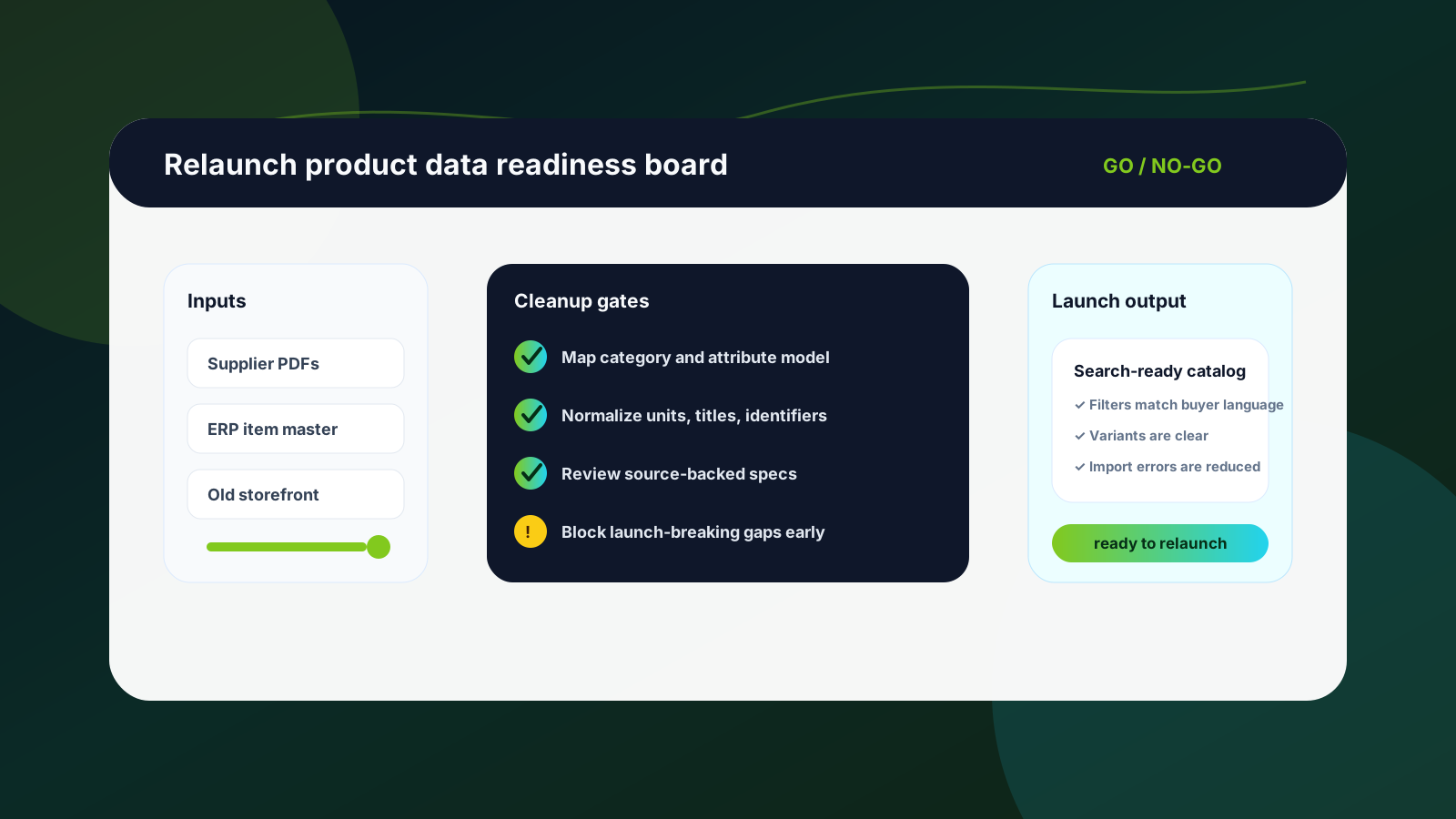
A website relaunch is often presented as a design, platform, or branding project. For an industrial distributor, the bigger risk is usually product data. If the new storefront launches with weak titles, missing attributes, inconsistent units, duplicated SKUs, or PDF-only specifications, buyers will still call sales for basic answers — even if the site looks modern.
The cleanup work should start before templates are finalized and long before the import freeze. Product data affects category navigation, filters, product page layout, search relevance, quote workflows, SEO, and the confidence a buyer has when choosing a part without talking to a rep.
Use this checklist as a practical pre-relaunch work plan. It is written for ecommerce managers, catalog teams, operations leads, and distributor owners who want the new site to support self-service buying instead of simply moving old catalog problems into a new theme. If you want help turning supplier documents into reviewable product data, request a demo and we can walk through a pilot product family.
Quick-skim relaunch checklist
Do not wait for the final import file. Audit source data, supplier documents, ERP fields, and old storefront content early.
Separate ERP-controlled facts such as item number, price rules, and stock from ecommerce facts such as filters, variants, descriptions, and comparison attributes.
Choose the first product families by revenue, traffic, quote volume, and data readiness — not by alphabetical order.
Use source-backed review gates for technical specifications instead of letting generated copy invent or smooth over missing facts.
Freeze the launch set deliberately, then create an update workflow for the products that will continue changing after go-live.
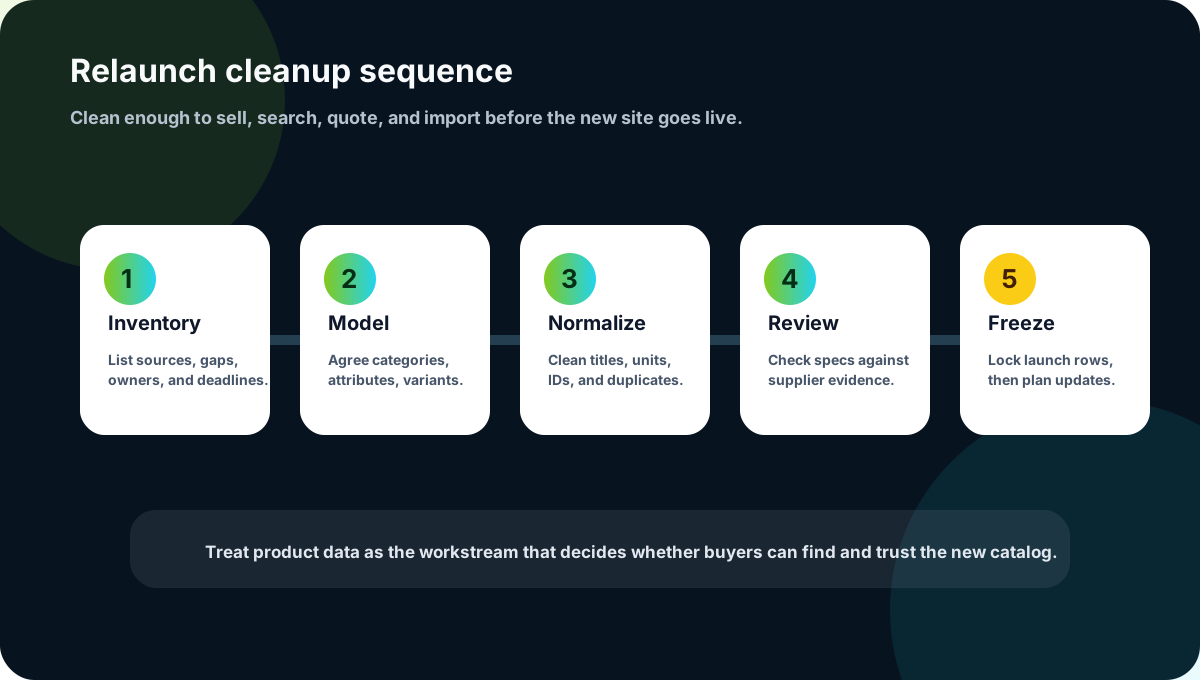
1. Inventory every product-data source before the design locks
Most relaunch plans start with pages, navigation, integrations, and deadlines. Product data is added as a migration task later. That is backwards for distributors with technical catalogs. You need to know what data you actually have before you promise search filters, comparison tables, category templates, or automated imports.
Create a source inventory that includes the ERP item master, current ecommerce export, supplier PDFs, supplier spreadsheets, price lists, images, old product descriptions, sales-team cheat sheets, and any PIM or shared spreadsheet used by the catalog team. For each source, record the owner, freshness, format, and whether it is trusted as evidence for technical specs.
Which source controls item identity and active/discontinued status?
Which source contains technical attributes buyers search for?
Which fields are complete enough to import without manual review?
Which supplier files are current, and which are historical references?
Where do sales reps currently look when the website does not answer a buyer question?
2. Define the ecommerce attribute model before cleanup begins
Cleaning product data without an attribute model creates tidy spreadsheets that still do not support the new website. Before normalization starts, decide which facts become filters, which define variants, which belong in a description, and which should stay internal.
For example, a fastener category may need diameter, length, thread type, material, coating, standard, head style, drive type, and pack quantity. A bearing category will need a different model. If these rules are not decided early, the team will either overload descriptions with critical data or create inconsistent filters that buyers cannot use.
A relaunch is the right moment to decide how buyers should compare products — not just how product pages should look.
3. Normalize units, titles, identifiers, and variants
A new site will expose inconsistencies that were hidden inside old PDFs and ERP rows. One supplier may write 0.5 in, another 1/2", and another 12.7 mm. One product family may use manufacturer part number as the title while another uses a marketing name. Some rows may represent a sellable SKU, while others are just variants, kit components, or inactive legacy items.
Normalize the facts that affect search, filters, and imports first. This usually includes product titles, manufacturer names, part numbers, units of measure, dimensions, material names, category names, variant groups, and mandatory attributes. Keep the original source value available so reviewers can trace why a normalized value was chosen.
Use canonical units and display units consistently by category.
Strip duplicate words from titles, but keep important identifiers and buyer language.
Map supplier-specific attribute names to a common internal field name.
Flag rows where a value was inferred, converted, or uncertain.
Keep source evidence for technical claims that affect fit, safety, compatibility, or compliance.
4. Run a launch-readiness scorecard
Not every product needs perfect enrichment before go-live. The practical question is whether each product family is ready enough for the new buying journey. A simple scorecard helps teams avoid arguing from anecdotes.
Search readiness: buyers can find the item by common terms, part numbers, and category paths.
Filter readiness: the fields used in navigation are complete and normalized for the launch set.
Page readiness: descriptions, core specs, images, and documents are useful enough to support evaluation.
Import readiness: mandatory ecommerce, ERP, PIM, or Shopify fields are present and formatted correctly.
Trust readiness: technical specs are source-backed and reviewed where mistakes would create risk.
Score each category red, yellow, or green. Red categories need cleanup before launch. Yellow categories may launch with clear limitations and a post-launch improvement plan. Green categories are ready for final import and spot checks.
5. Protect the relaunch from last-minute data chaos
The final weeks before launch can become a scramble: new supplier files arrive, pricing changes, discontinued items surface, and teams discover missing attributes when testing filters. Without a freeze process, the data set keeps changing while developers and merchandisers are trying to verify the site.
Set a clear launch data freeze for the initial product set. After that point, only critical corrections should enter the launch import. Everything else should go into a post-launch update queue. This is not about slowing the business down; it is about separating launch quality control from ongoing catalog operations.
Freeze the rows and fields included in the initial launch import.
Run import validation and storefront spot checks against that frozen set.
Log corrections with an owner, source, and severity level.
Approve only critical corrections for launch, then schedule the rest after go-live.
Keep the same review workflow after launch so new supplier data does not recreate the old mess.
Where Arovon fits in the relaunch workflow
Arovon is useful when the blocker is not the website template but the supplier-product-data work behind it. Supplier PDFs, spreadsheets, and catalog extracts can be converted into structured rows, normalized attributes, review queues, and export-ready files for ecommerce, PIM, or operational workflows.
The important part is review-first automation. For industrial product data, the goal is not blind publishing. The goal is to reduce manual retyping, make uncertain values visible, preserve source evidence, and give catalog or ecommerce teams a repeatable way to prepare products for launch. You can learn more on the product page, review options on pricing, or contact Arovon if you are planning a relaunch and want to test one product family first.
The relaunch takeaway
A new website will not fix catalog data by itself. It will amplify whatever product data you bring into it. If buyers cannot search, filter, compare, and trust the products on day one, the relaunch will push work back to sales and customer service.
Treat product data cleanup as a relaunch workstream with owners, gates, scorecards, and a post-launch operating model. That is how distributors turn a website project into a better self-service buying experience.