The Product Data Gap Between Supplier PDFs and Your Ecommerce Platform
6/23/2026
Supplier PDFs contain useful product facts, but they are not ecommerce-ready. Distributors need a reviewable bridge between source documents and storefront fields.
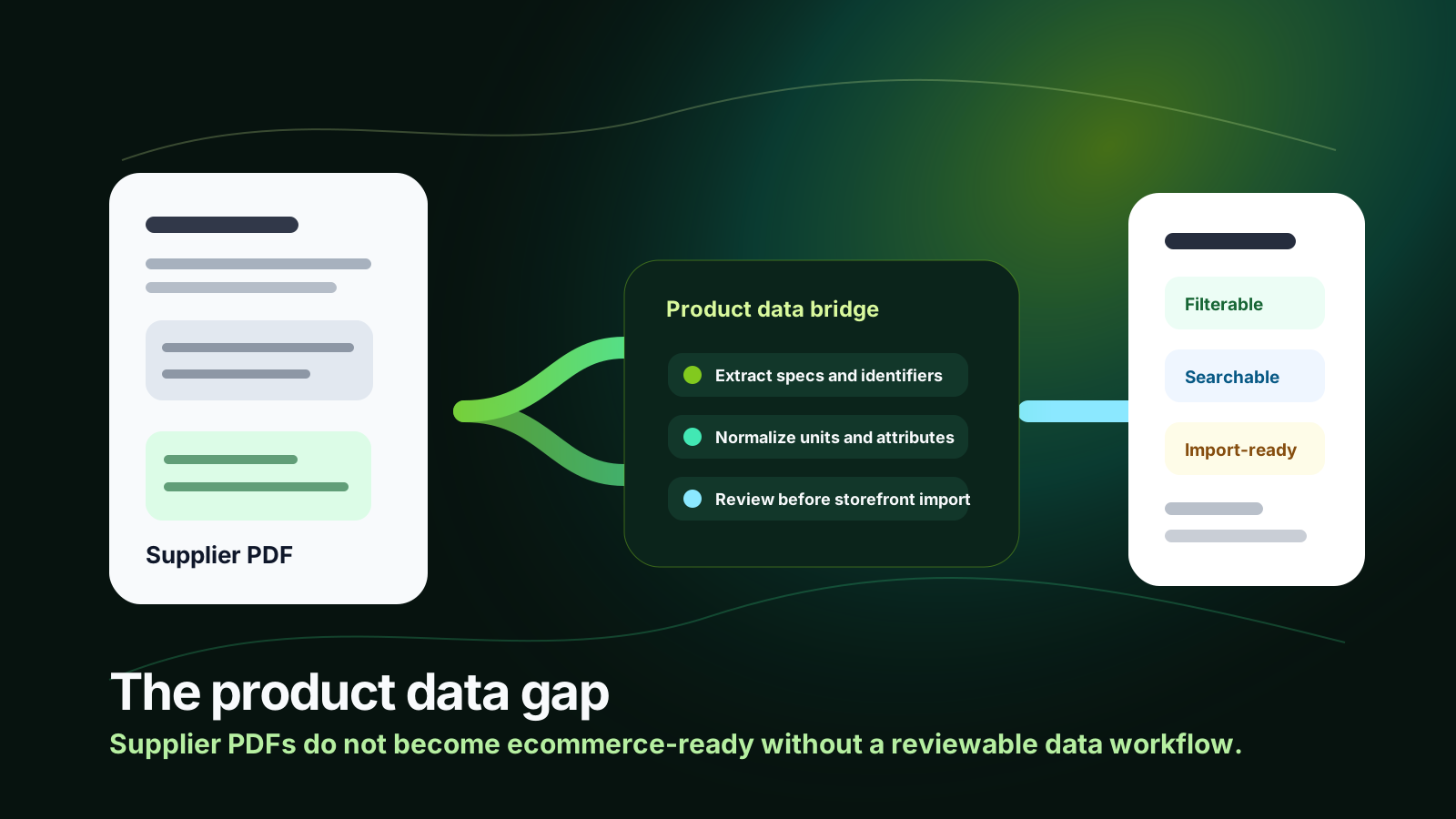
Supplier PDFs are usually where industrial product data starts. They are not where ecommerce-ready product data ends. A catalog page can show the right dimensions, material grades, options, and compliance notes, yet still be unusable for search filters, variant logic, Shopify metafields, BigCommerce attributes, Adobe Commerce imports, or a PIM workflow. The gap is the translation layer between human-readable supplier documents and structured, channel-ready product records.
That gap becomes expensive when a distributor treats extraction as the whole job. Pulling text from a PDF is useful, but ecommerce needs normalized attributes, consistent units, source-backed exceptions, buyer-language labels, category rules, and a review process sales teams can trust. Without that bridge, the storefront may publish data, but buyers still cannot find, compare, or confidently order the right item.
Quick skim
PDF extraction is the starting point, not the ecommerce finish line.
The biggest gaps are structure, units, variants, category mapping, and review ownership.
Arovon fits between supplier documents and downstream ecommerce/PIM imports.
Best first move
Choose one high-volume product family, define the minimum ecommerce fields, and compare those fields against three real supplier PDFs before building a full import workflow.
Why supplier PDFs do not map cleanly to ecommerce
Supplier PDFs are designed for people. Ecommerce systems are designed around fields, rules, and predictable relationships. A PDF may describe a family of products in a table, place exceptions in footnotes, mix metric and imperial units, use supplier-specific abbreviations, and rely on diagrams or captions to explain what a value means. A human sales rep can interpret that context. A storefront import cannot.
This is why a PDF-to-platform workflow often breaks after the first extraction demo. The data looks impressive in a spreadsheet, but the hard questions appear when someone asks whether “length” means overall length or thread length, whether “SS” should become stainless steel or a specific grade, whether a table row is a sellable SKU or a size option, and which values should become filters rather than description text.
The four gaps distributors need to close
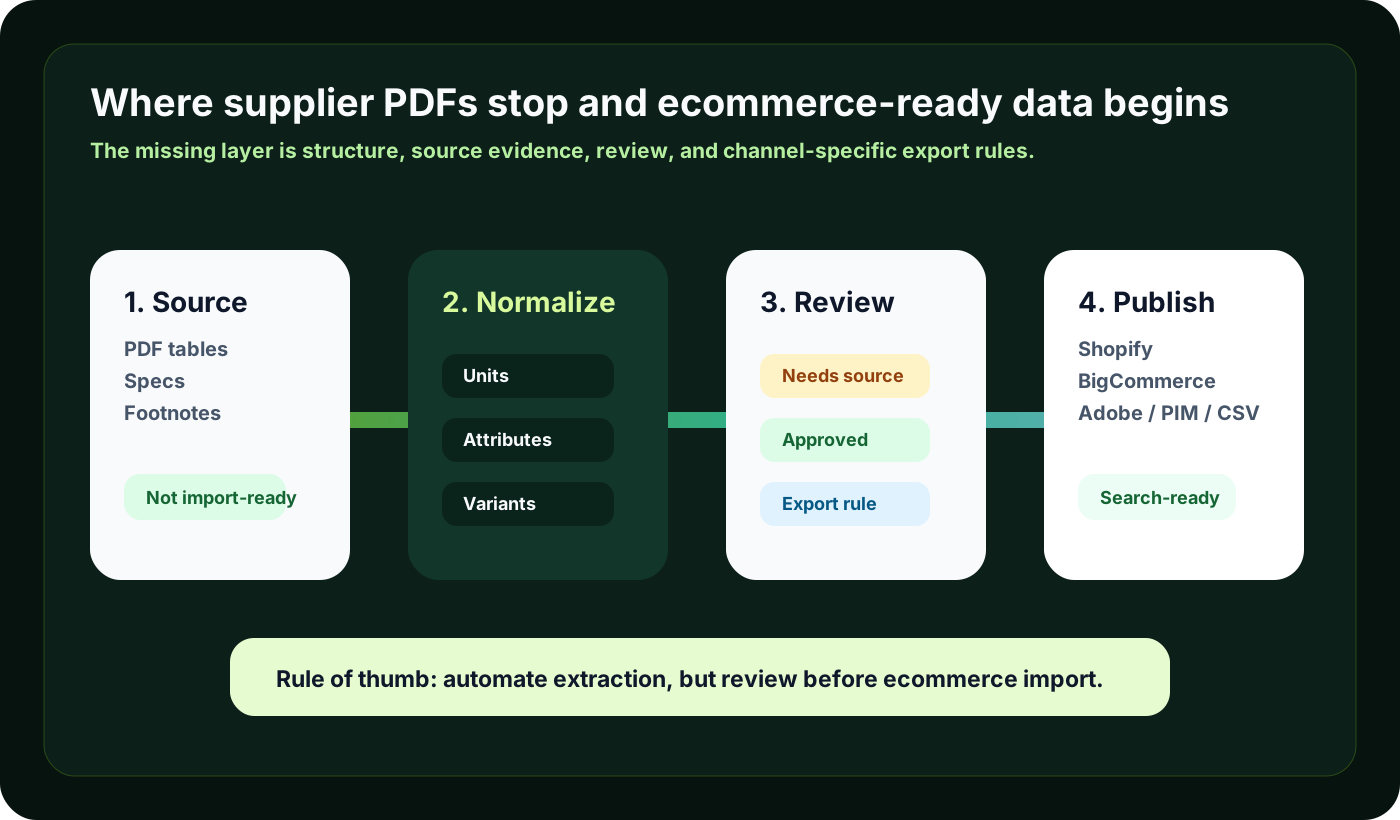
Most failed catalog imports come from one of four gaps. The first is the source gap: supplier documents vary by manufacturer, product family, year, and region. Even when the same attribute exists, it may be named differently or hidden in a note. The second is the structure gap: ecommerce needs canonical attributes, accepted values, variant relationships, and category-specific fields.
The third is the confidence gap. Technical product data should not be published simply because an OCR or model produced a value. Teams need evidence, exception queues, and approval states. The fourth is the channel gap: the same clean product fact may need to become a Shopify metafield, a BigCommerce custom field, an Adobe Commerce attribute, a PIM field, or a CSV column with different naming and formatting rules.
What the bridge should include
A practical product data bridge does not have to be overbuilt. It should make the messy middle visible and repeatable. Start with source capture: keep a reference to the PDF, page, table, or supplier file behind important values. Then define a product-family attribute model that says which fields are required, optional, searchable, filterable, variant-defining, and description-only.
Next, normalize the values before import. That means consistent units, controlled vocabulary, buyer-friendly labels, and category-specific rules. For example, fastener data may need thread size, material, finish, head style, drive type, and standard. Springs may need wire diameter, outside diameter, free length, rate, material, and end type. The fields differ, but the workflow principle is the same: extract into a model, not into a generic blob of text.
The goal is not to make supplier PDFs disappear. The goal is to turn them into source-backed product data your ecommerce team can safely publish.
A simple decision model for each extracted value
When a supplier document gives you a product fact, decide what role it should play before it enters the ecommerce platform. Some facts belong in filters because buyers use them to narrow options. Some define variants because they change the sellable item. Some should become tags or search synonyms. Others belong in the description because they add context but do not drive discovery or SKU selection.
Question | If yes, treat it as | Example |
|---|---|---|
Will buyers use it to narrow a category? | Filterable attribute | Material, thread size, voltage, load rating |
Does it identify a purchasable option? | Variant-defining field | Length, pack size, color, diameter |
Is it useful for search but not navigation? | Tag or synonym | Supplier abbreviation, alternate part wording |
Does it explain usage or restrictions? | Description or note | Application guidance, installation caveat |
Where ERP, PIM, and ecommerce platforms fit
ERP should remain the system of record for commercial operations such as pricing, inventory, customer terms, order history, and item numbers. A PIM can be the long-term home for governed product content. Ecommerce platforms publish the buyer-facing experience. The missing layer is often the repeatable work required to turn supplier documents into clean records before those systems receive them.
That is why many distributors need automation before, or alongside, a PIM rollout. If the team still manually copies table values from supplier PDFs, the PIM may become another place to store incomplete data. If the team pushes raw extraction directly to Shopify or BigCommerce, the storefront inherits mistakes. A source-backed staging and review process gives both paths better input.
A practical pilot plan
A useful pilot should be narrow enough to finish and broad enough to expose real complexity. Choose a product family with meaningful sales activity, repeated supplier updates, and visible ecommerce pain. Gather a representative set of PDFs and spreadsheets, then define the fields that matter for search, comparison, and import. Do not start by promising every attribute for every SKU. Start by proving that the workflow can produce trusted fields for one category.
Pick 50–200 representative SKUs from one product family.
Define required ecommerce fields, buyer-facing filters, and variant rules.
Extract values from at least three different supplier document formats.
Track exceptions: missing values, ambiguous labels, unit conflicts, and source evidence.
Review with sales or catalog owners before pushing to ecommerce.
Export to the target channel and measure import errors, search improvements, and manual cleanup saved.
Common mistakes to avoid
The first mistake is assuming that a clean spreadsheet equals clean ecommerce data. A spreadsheet can still hide inconsistent units, mixed naming, duplicate attributes, and values that do not match the target platform. The second is skipping review because the extraction looked accurate on a small sample. Technical product data affects buyer trust, quote accuracy, and returns risk; review is not optional for ambiguous fields.
The third mistake is designing the data model around the first supplier’s catalog. That makes the workflow brittle when the next manufacturer uses different terminology. Build a canonical model for the product family, then map each supplier into it. The fourth mistake is treating every extracted phrase as a description. Modern B2B buyers expect self-service search and comparison, so important facts need to become structured attributes, not just copy.
Before the bridge
PDF values copied manually
Field names vary by supplier
Import errors found late
Sales distrusts storefront specs
After the bridge
Attributes mapped to a model
Units and labels normalized
Exceptions reviewed before import
Data is easier to reuse across channels
How Arovon helps close the gap
Arovon is built for the work between supplier documents and publishable product data. It helps distributors extract product facts from PDFs and spreadsheets, normalize them into structured records, keep review steps visible, and prepare exports for ecommerce or downstream catalog systems. The value is not just faster extraction. It is a safer workflow for turning supplier documents into data that buyers, sales teams, and ecommerce platforms can rely on.
If your team is preparing a website relaunch, cleaning a product family, or trying to reduce manual catalog work, start with the gap analysis. Compare one supplier PDF against the fields your storefront actually needs. The missing structure will usually show you where automation should begin. To see how this can work for your catalog, request a demo, review pricing, or contact Arovon with a sample supplier document.