How Spring Distributors Can Speed Up Catalog Data Entry
5/21/2026
A distributor guide to speeding up spring catalog data entry by extracting dimensions, rates, materials, and product families from supplier documents.

A distributor guide to speeding up spring catalog data entry by extracting dimensions, rates, materials, and product families from supplier documents.
Skim this first
Use this article to find where spring catalog entry loses time.
The bottleneck is often repeated typing of dimensions, rates, loads, and end details.
Speed comes from extracting repeatable spring specs into reviewable fields.
Best next move
Choose a spring family with recurring manual-entry work.
Define spring-specific fields before processing the PDFs.
Measure how many rows can be approved without retyping every value.
For industrial distributors, the practical question is not whether software can read a document once. The question is whether the team can repeat the workflow across suppliers, keep technical values traceable, and export rows that are safe to use.
This guide focuses on spring distributor product data from an operations point of view: what to standardize, what to review, and where automation should support people rather than hide uncertainty.
Quick facts
Common fields: Diameter, length, wire size, rate, force, material, finish, and end type.
Big win: Turn repeated tables into reviewed rows instead of manual retyping.
Review focus: Units, tolerances, product family, and missing values.
Spring distributors speed up catalog work when reviewers check exceptions instead of rebuilding every row by hand.
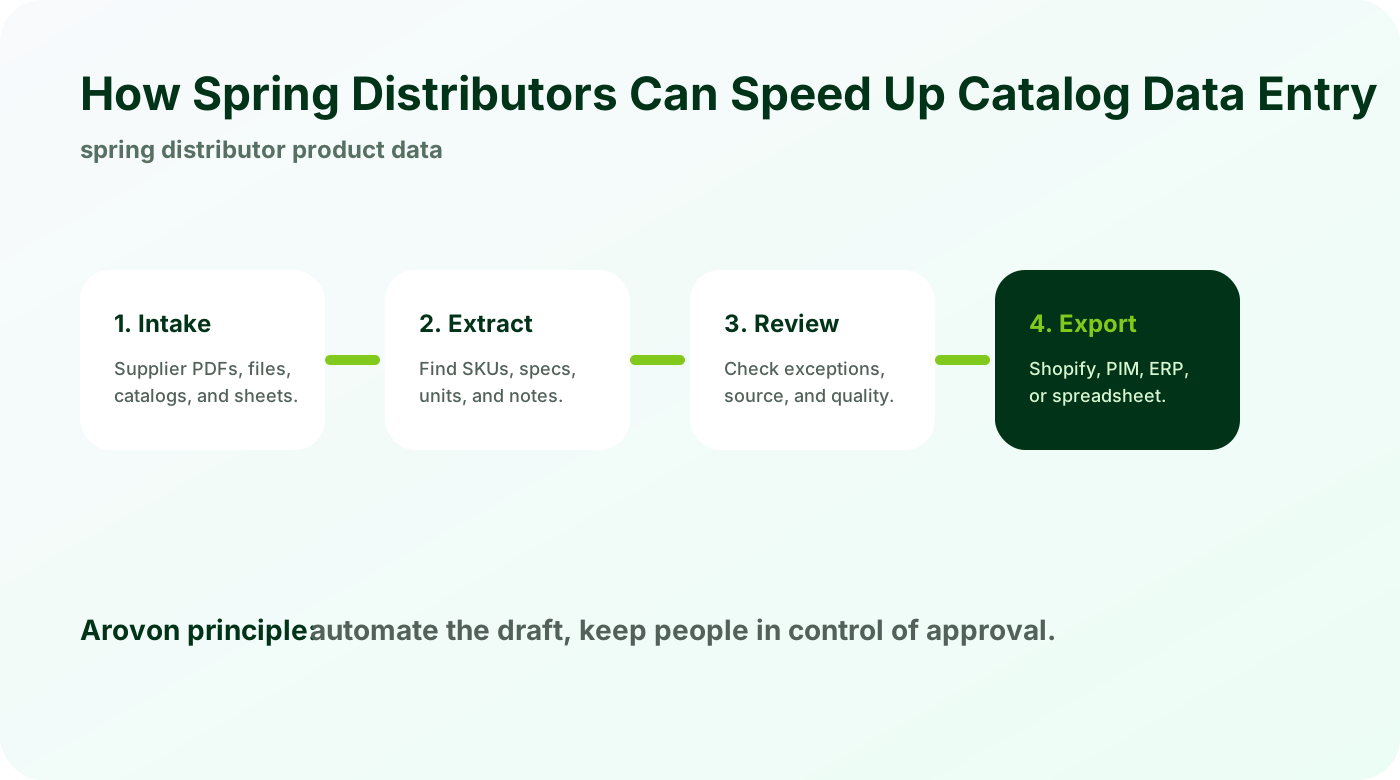
Spring data is table-heavy and unit-sensitive
Spring supplier catalogs often contain dense tables where units and headers matter as much as the values themselves.
Capture units from headers and notes.
Preserve product family context from the surrounding page.
Normalize field names for search and filters.
If the unit or family context is lost, the extracted row may look complete while still being unsafe to publish.
Build a spring-specific schema
Compression springs, extension springs, torsion springs, and gas springs each need different fields.
Define required fields by spring type.
Separate dimensions from performance values.
Use review flags for missing or unusual values.
A category schema lets the automation know what a complete row should look like.
Speed comes from review, not skipping review
The fastest safe process creates a structured draft and lets staff review exceptions.
Review low-confidence values first.
Compare rows to the source page.
Export only approved rows to ecommerce or PIM.
This keeps experienced staff focused on judgment instead of copy-paste work.
Checklist
Choose one spring family for the pilot.
List required attributes and units.
Keep source document links attached.
Validate numeric ranges and missing values.
Export a small sample before a full upload.
Watch for
Spring dimensions copied into descriptions instead of filterable fields.
Rates, loads, or end types missing source references.
Similar springs split into disconnected products instead of useful variants.
Make it repeatable
Use one schema for free length, wire diameter, OD, rate, load, material, and end type.
Flag uncertain values for review instead of dropping them.
Use the approved family as the model for the next spring supplier.
Turn spring tables into reviewed rows
Arovon can process a supplier spring catalog and show how extracted rows, units, and review flags would look in your workflow.