How to Prevent Bad Product Data From Reaching Shopify
7/22/2026
A practical pre-import workflow for industrial distributors that need Shopify product rows, variants, metafields, and filters to be trustworthy before they go live.
A Shopify launch can make a distributor catalog look modern in a week. Bad product data can make it untrustworthy in an afternoon.
The risk is rarely Shopify itself. The risk is sending supplier descriptions, ERP abbreviations, half-normalized units, duplicate part numbers, and uncertain variant relationships directly into a storefront that buyers now expect to search, filter, compare, and reorder from without calling sales.
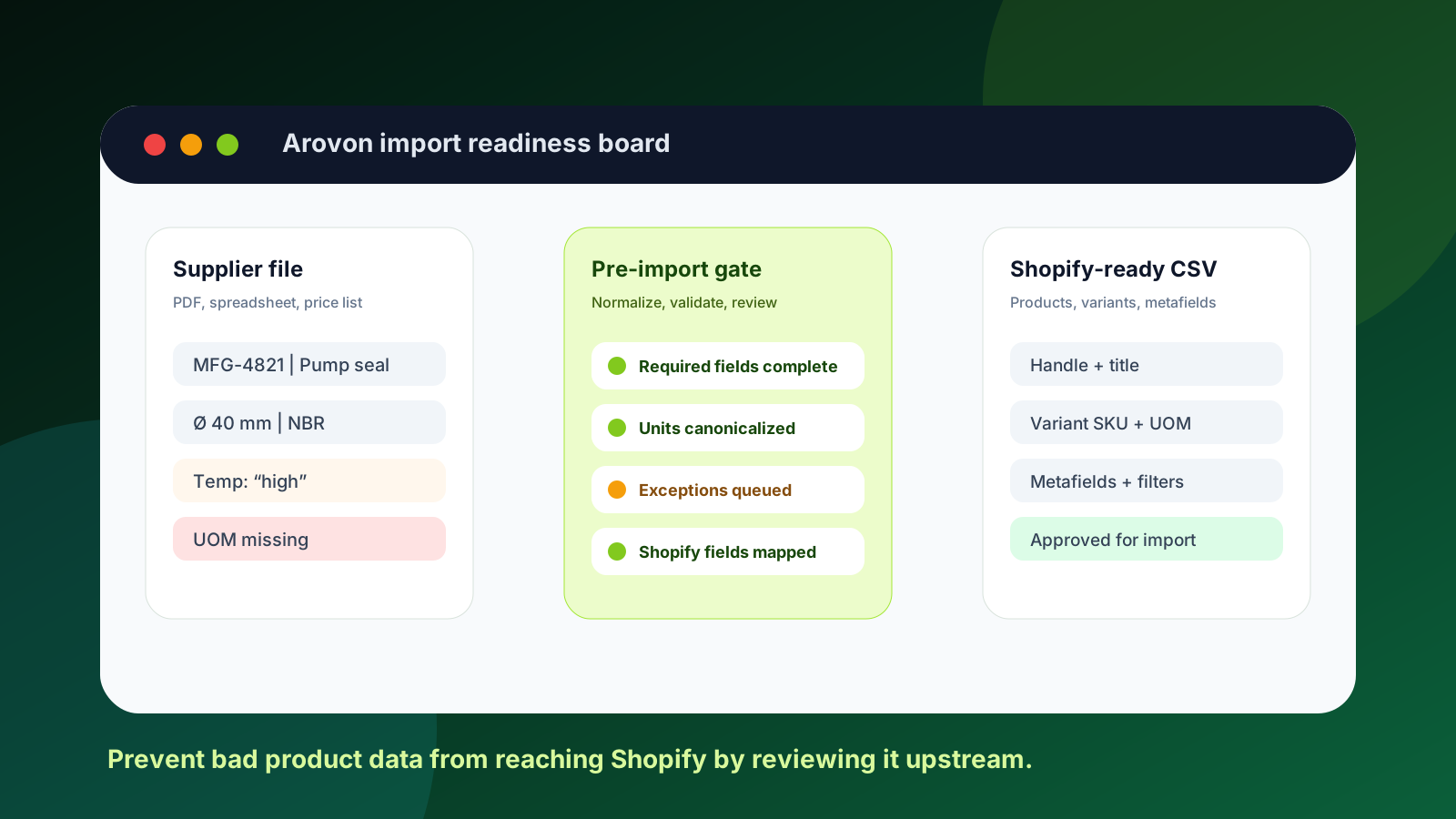
For industrial distributors, the safer approach is to create a pre-import gate. Before rows reach Shopify, your team should know which fields are source-backed, which values were normalized, which exceptions need review, and which data belongs in products, variants, options, tags, or metafields. That is the workflow Arovon is designed to support: supplier documents in, structured product data out, with review before publication. If you are planning a Shopify cleanup or relaunch, this article explains what to check upstream and how to keep bad data out of the live catalog.
Quick skim: what to block before import
Do not import rows where the SKU, manufacturer part number, title, unit of measure, or core category is uncertain.
Do not use raw supplier column names as buyer-facing filters without normalization.
Do not create variants until you know which option values truly belong together.
Do not push technical attributes into descriptions only; Shopify metafields and structured data make them reusable.
Do not treat “import succeeded” as “catalog is safe.” Validate storefront search, filters, PDP content, and sample orders after import.
Why bad data reaches Shopify in the first place
Most distributor teams do not set out to publish messy catalog data. It happens because the import project is treated as a format conversion problem instead of a product-data workflow.
A supplier PDF becomes a spreadsheet. The spreadsheet gets rearranged into a CSV. ERP item codes are copied over because they are available. A few descriptions are edited by hand. Then the team focuses on getting the file to pass Shopify import validation. That sequence can produce a technically valid Shopify import while still creating poor ecommerce experiences.
A row can have a handle, title, SKU, and price but still be wrong for buyers. The title might hide the actual product family. A size might be stored as free text instead of a normalized attribute. Two similar SKUs might be grouped as variants even though one has a different material or standard. A critical spec might sit in a long description where search and filters cannot use it.
Current B2B ecommerce guidance keeps pointing in the same direction: buyers want self-service, clear product information, reliable search, and connected buying experiences. BigCommerce trend coverage emphasizes product discovery, consistent data, and fewer fragmented processes. Sana Commerce coverage similarly highlights ERP-connected accuracy and reduced buyer friction. Shopify gives distributors a strong ecommerce foundation, but it cannot rescue unreviewed supplier facts after they are already live.
Build a pre-import gate instead of a cleanup backlog
The best time to catch a product-data problem is before it is embedded into URLs, collections, filters, product pages, and customer habits. A pre-import gate is a simple operating model: every row must pass a short set of checks before it can be exported to Shopify.
Import gate mindset
The team validates source-backed fields, assigns exceptions, maps attributes deliberately, and exports only approved rows. Shopify becomes the publishing destination, not the place where raw supplier data is debugged.
Cleanup backlog mindset
The team imports first, discovers broken filters and confusing pages later, then spends weeks patching titles, variants, tags, and descriptions inside the storefront.
This gate does not need to be heavy. For a distributor with thousands of industrial SKUs, even a basic status model is useful: new, extracted, normalized, needs review, approved, exported, and live-checked. The important point is that the status follows the data, not the person currently editing a spreadsheet.
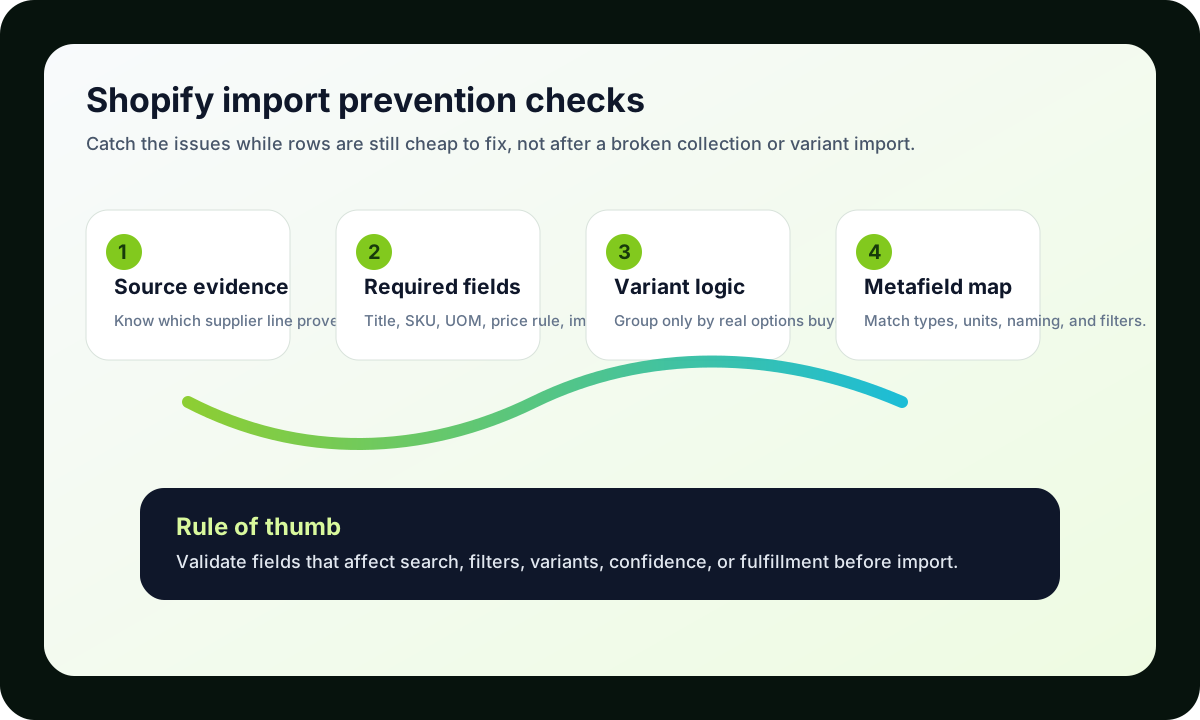
If a field affects search, filters, variants, account confidence, or fulfillment, validate it before it reaches Shopify.
Check the fields Shopify will expose to buyers
Start with the fields buyers notice immediately. Product titles should identify the item clearly without becoming a dump of every attribute. Descriptions should explain use, fit, constraints, and what is included. Images should be present or deliberately marked as missing. Vendor and product type should be consistent enough to support navigation and reporting.
For industrial catalogs, the most common problem is not a missing marketing sentence. It is a missing or ambiguous technical value. Buyers need diameter, material, finish, pressure rating, thread, pack quantity, compatibility, standard, grade, voltage, dimensions, or load data depending on the product family. If those values live only in supplier prose, they are hard to filter, compare, or validate.
Shopify metafields are useful because they let teams store custom product facts beyond the basic product record. But metafields only help when the upstream values are normalized. A metafield called “material” is not useful if one supplier sends “stainless,” another sends “SS,” another sends “A2,” and a fourth mixes material and finish in the same cell. Normalize before mapping.
Separate products, variants, options, and attributes
One of the easiest ways to damage a Shopify catalog is to guess at variant structure. Industrial products often look variant-like because rows differ by diameter, length, material, pack size, seal type, voltage, or connection. But not every difference should become a variant option.
Use variants when the buyer is choosing between versions of the same product concept and the storefront experience benefits from grouping them. Use separate products when the engineering meaning, compatibility, category, or buyer intent changes. Use metafields for technical attributes that support filtering, comparison, and product-page clarity. Use tags sparingly for operational grouping, merchandising, and rules that do not need typed values.
Question | Better Shopify destination |
|---|---|
Does the buyer select this value as an option on one product page? | Variant option |
Does the value describe a searchable technical property? | Metafield |
Does the value change the product family or application? | Separate product or category |
Is the value mainly for merchandising or workflow rules? | Tag or collection rule |
Does the value come from ERP but is not buyer-facing? | Keep internal or map carefully |
Validate units and identifiers before they become storefront truth
Units and identifiers deserve special attention because they create expensive downstream mistakes. A distributor may have supplier part numbers, manufacturer part numbers, internal SKUs, GTINs, customer-specific item numbers, and legacy codes. Mixing those roles in a title or SKU field can make search noisy and make support conversations harder.
The same is true for units. “EA,” “each,” “pc,” “pack,” “box,” and “case” may look obvious to internal teams, but they affect buyer expectations, pricing display, fulfillment, and returns. Before import, decide which value is the sellable unit, which value is package quantity, and which value is only a source note. Store the original source value when it matters, but export a clean canonical value to Shopify.
Arovon’s source-backed product data workflow is useful here because the reviewer can see where a value came from and why it was changed. That makes the review less subjective and reduces the risk that a well-meaning editor “cleans” a value into something technically wrong.
Use exceptions instead of forcing every row through
Bad data often reaches Shopify because teams feel pressure to finish the import file. When a required value is unclear, someone fills the blank with the closest available text or leaves it in a description. That may get the launch moving, but it creates silent catalog debt.
A better pattern is to create exception reasons. Examples include missing source value, conflicting supplier values, unknown unit, variant grouping unclear, image missing, price/UOM mismatch, category uncertain, or technical review required. These exceptions should not block the entire project. They should block only the affected rows or fields.
Approve rows that have enough source-backed data for a safe Shopify import.
Export incomplete rows only when the missing field does not affect buyer trust or fulfillment.
Send technical exceptions to the person who can actually resolve them: catalog manager, product specialist, sales engineer, or supplier contact.
Reuse resolved exceptions as rules so the next supplier file is faster.
Run a small Shopify proof before the full import
Before importing thousands of rows, test one product family. Choose a family with enough complexity to expose the real issues: variants, units, technical attributes, and a few supplier inconsistencies. Export the rows, import them into a staging environment or controlled collection, and review the buyer experience.
The proof should answer practical questions. Can a buyer search by supplier part number and manufacturer part number? Do filters show clean values? Are variant options understandable? Does the product page explain what matters? Are images and missing-image states acceptable? Do sample rows export cleanly from the upstream workflow if a correction is made?
If your team is preparing supplier data for Shopify metafields next, the follow-up work is to define the actual metafield model. Arovon can help turn supplier PDFs and spreadsheets into reviewed rows that are ready for that mapping. Start with the product data automation pilot, compare scope on pricing, or request a demo if you want to see how a pre-import gate would work with your own supplier files.
A practical prevention checklist
Required fields: title, handle strategy, SKU, vendor, product family, sellable unit, and core description are complete enough for publication.
Identifiers: supplier part number, manufacturer part number, internal SKU, and GTIN are separated instead of merged into one text field.
Attributes: technical values are normalized and mapped to typed fields or metafields where they can support search and filters.
Variants: option values are reviewed for real buyer choice, not inferred from every differing column.
Images: image URLs, missing-image flags, and alt text are checked before import.
Exceptions: uncertain values have reason codes and owners instead of being guessed into the import.
Live sample: a small Shopify import has been reviewed from search results, collection pages, product pages, and sample order flow.
Where Arovon fits
Arovon sits before Shopify in the workflow. It helps distributors extract product facts from supplier documents, normalize values, review uncertain fields, and export cleaner data for ecommerce or PIM work. The goal is not to replace Shopify or to publish AI output automatically. The goal is to make sure the data Shopify receives is structured, source-backed, and safe for buyers to use.
That shift changes the conversation from “Can we import this file?” to “Can buyers trust what this import will publish?” For industrial distributors, that is the more important question.