How to Create a Product Attribute Model for Seals and O-Rings
7/15/2026
A practical guide for industrial distributors that need to turn seal and O-ring supplier data into searchable, reviewable, ecommerce-ready attributes.
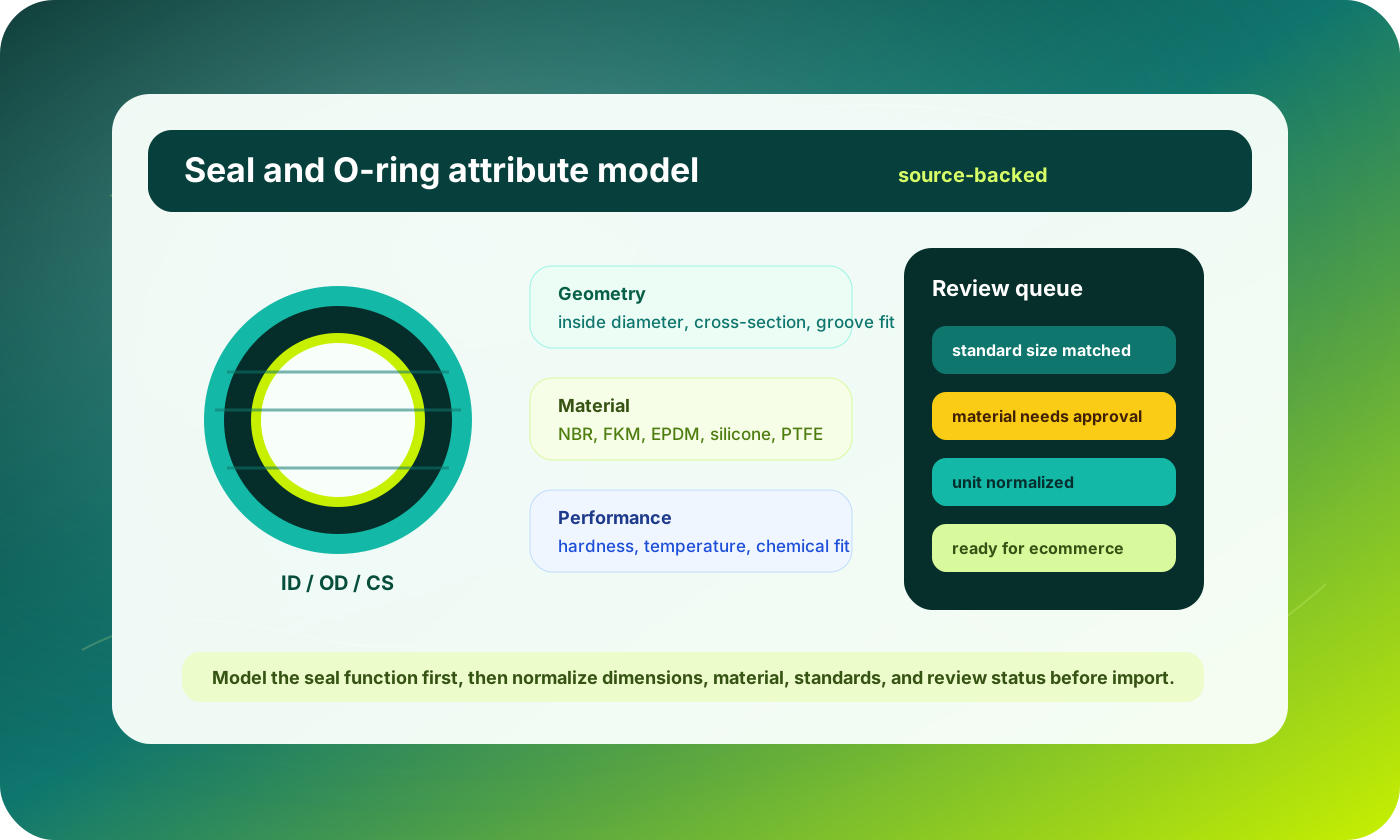
Seals and O-rings look simple until a distributor tries to publish thousands of them online. A buyer may search by inside diameter, cross-section, material, hardness, temperature range, pressure rating, manufacturer part number, industry standard, or the equipment the seal fits. Supplier catalogs often mix those facts across drawings, footnotes, shorthand material codes, tables, and marketing descriptions.
That is why seals need a product attribute model before they need more product copy. The model defines which facts become filters, which define variants, which stay as technical notes, and which must be reviewed before the row is trusted. Without that layer, ecommerce teams import catalogs that look complete but cannot support confident self-service buying.
This guide gives catalog, ecommerce, and operations teams a practical model for seals and O-rings. It is designed for distributors preparing data for a PIM, ERP-connected web store, or an automation workflow such as Arovon’s product data extraction process.
Quick skim: what the model needs to answer
What type of sealing product is this: O-ring, rotary shaft seal, gasket, wiper, V-ring, bonded seal, or custom profile?
Which dimensions are normalized enough to support search, filters, variants, and import validation?
Which material and performance fields affect buyer selection rather than internal purchasing only?
Which rows are safe to publish, and which need engineering, sales, or supplier review before ecommerce import?
Start with seal type, not with a universal attribute list
A common mistake is to create one giant attribute list for every sealing product. O-rings, oil seals, hydraulic rod seals, gaskets, and wipers share some commercial fields, but buyers compare them differently.
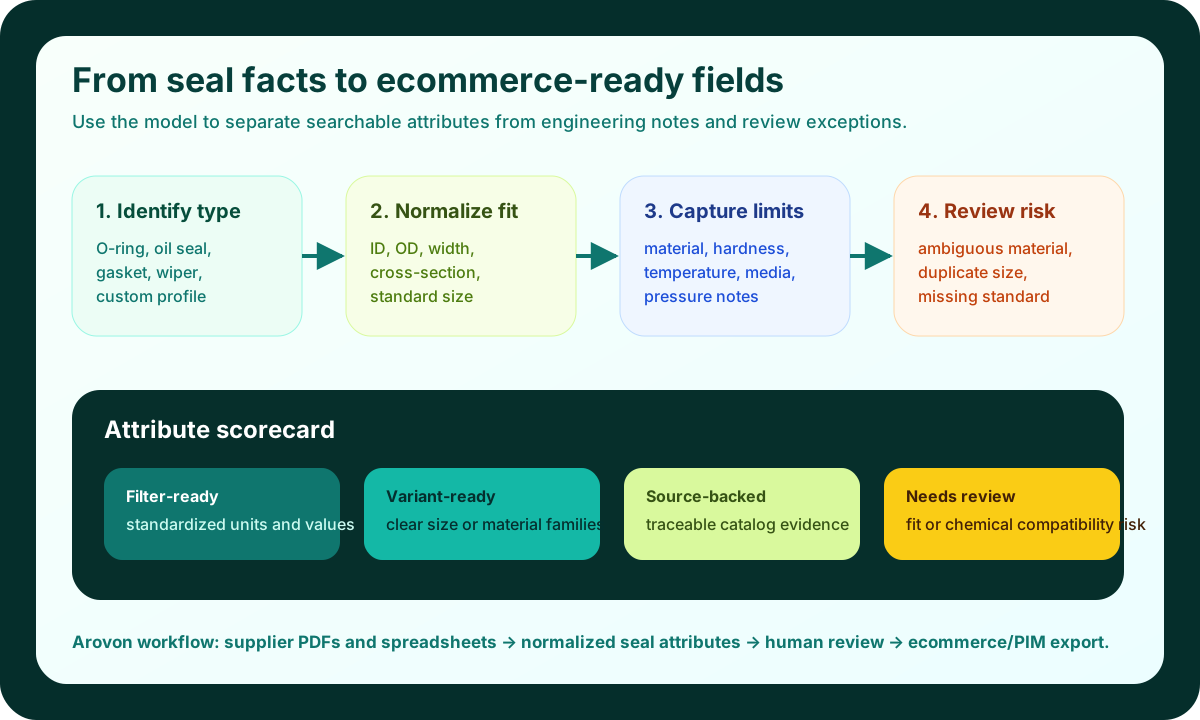
Start by defining a product-family field that decides the rest of the model. For an O-ring, inside diameter, cross-section, material, hardness, and standard size may be core. For a rotary shaft seal, shaft diameter, housing bore, seal width, lip material, case material, and dust lip may matter more.
This family-first approach also improves automation. Supplier PDFs often contain tables where the same column label means different things in different sections. If the workflow identifies the seal type first, extraction and review rules can apply the correct attribute set.
Normalize geometry into buyer-facing fields
Dimensions are the backbone of seal ecommerce, but they are also where many catalogs become messy. Supplier files may use ID, I.D., inside dia., d1, shaft size, bore, groove diameter, OD, outside diameter, width, height, cross-section, CS, or nominal size.
Store the source dimension exactly as found so reviewers can trace the value back to the supplier document.
Create canonical numeric fields for filtering and comparison, such as inside diameter mm, outside diameter mm, cross-section mm, shaft diameter mm, bore diameter mm, and width mm.
Create display values for product pages, because buyers still expect familiar notation such as 25 x 3 mm or 1 in x 1/8 in.
Flag rows where a nominal size, actual dimension, and application dimension may be confused.
Do not treat unit conversion as a formatting task only. A converted value can be mathematically correct and still be operationally risky if the source row used nominal dimensions or mixed inch and metric product families.
Separate material, compound, and compatibility
Material is not just a descriptive field for seals. It often determines whether the product is suitable for oil, fuel, water, steam, chemicals, temperature extremes, or food-contact applications. A useful model separates the material family from the specific compound or trade name when the supplier provides both.
NBR, FKM, EPDM, silicone, PTFE, polyurethane, and neoprene are useful filter values. A supplier-specific compound number may belong in a more detailed field. Chemical compatibility, temperature range, color, and approvals may need separate attributes or notes depending on catalog depth.
This distinction matters for search and trust. A buyer who filters for FKM should not miss products because another supplier wrote Viton, fluoroelastomer, FPM, or a compound code. At the same time, the catalog should not imply compatibility that the source document did not support.
Model hardness, standards, and performance as structured facts
Seal data often hides important product-selection facts in table footnotes. Hardness may appear as Shore A, durometer, 70A, 75 ShA, or a range. Standards may appear as AS568, ISO 3601, DIN, BS, JIS, or manufacturer series references.
Use structured fields for hardness, temperature minimum, temperature maximum, standard, series, profile, lip style, spring-loaded yes/no, metal case yes/no, and approval fields where they are consistently present. Keep conditional statements as reviewed technical notes rather than universal product claims.
Decide what becomes a filter, a variant, or a product-page detail
Not every attribute deserves a storefront filter. Too many filters make technical ecommerce harder to use. Too few filters force buyers back to manual quote requests. The decision should be based on buyer behavior, product-family depth, and data consistency.
Use filters for attributes buyers commonly use to narrow a broad category: seal type, material, inside diameter, cross-section, shaft diameter, bore diameter, hardness, and standard.
Use variants when the same product family is meaningfully sold across size, material, or hardness options and the ecommerce platform can represent them cleanly.
Use product-page details for facts that matter after selection but are not usually first-step filters, such as packaging, compliance notes, installation notes, or supplier series descriptions.
Use review-only fields for ambiguous fitment, unclear compatibility, or supplier claims that should not be published without confirmation.
If your team is preparing a migration or relaunch, this filter decision should happen before import. See the related Arovon checklist on product data cleanup before a website relaunch for the broader launch workflow.
Add review rules before publishing
Seals are a good example of why product data automation should include human review rather than blind publication. The goal is to route attention to the rows where a wrong attribute can cause buyer confusion, returns, or technical risk.
Flag missing core dimensions for the product family, such as ID and cross-section for O-rings or shaft and bore dimensions for oil seals.
Flag material synonyms that map to a known family but have supplier-specific trade names or compounds attached.
Flag conflicting values when the same SKU appears in multiple supplier files with different dimensions, standards, or hardness values.
Flag performance claims that look conditional, such as temperature range tied to material or pressure rating tied to application.
A strong review queue turns catalog work from endless cleanup into exception handling. Most rows move through with consistent rules. Risky rows get routed to the right person with the source evidence visible.
A practical field set for O-rings and seals
A useful starting field set includes product family, seal type, supplier, manufacturer part number, distributor SKU, source document, material family, compound or grade, hardness, color, inside diameter, outside diameter, cross-section, width, shaft diameter, bore diameter, standard size, industry standard, profile, lip style, spring type, temperature range, pressure note, media compatibility note, pack quantity, unit of measure, review status, and reviewer note.
The model is not a promise that every row has every field. It is a governed structure for deciding what to extract, normalize, review, and export. The important part is consistency: the same fact should not appear as a filter for one supplier, a description sentence for another, and a hidden spreadsheet column for a third.
Where Arovon fits
Arovon helps distributor teams move from supplier PDFs, tables, and spreadsheets into structured product data that can be reviewed and exported. For seals and O-rings, that means extracting dimensions and material facts, normalizing units and synonyms, keeping source references, and surfacing exceptions before the data reaches ecommerce or a PIM. If you want to test this on a real supplier catalog, request a demo or review Arovon pricing to plan a small pilot.
The win is not a prettier spreadsheet. It is a repeatable model that lets buyers find the right sealing product, lets sales trust the data, and gives the ecommerce team a cleaner path from supplier documents to live product pages.