How to Decide Which Supplier PDFs Are Worth Automating First
7/2/2026
A practical scoring model for choosing the first supplier PDFs to automate, so distributors prove value quickly instead of starting with the messiest catalog pile.
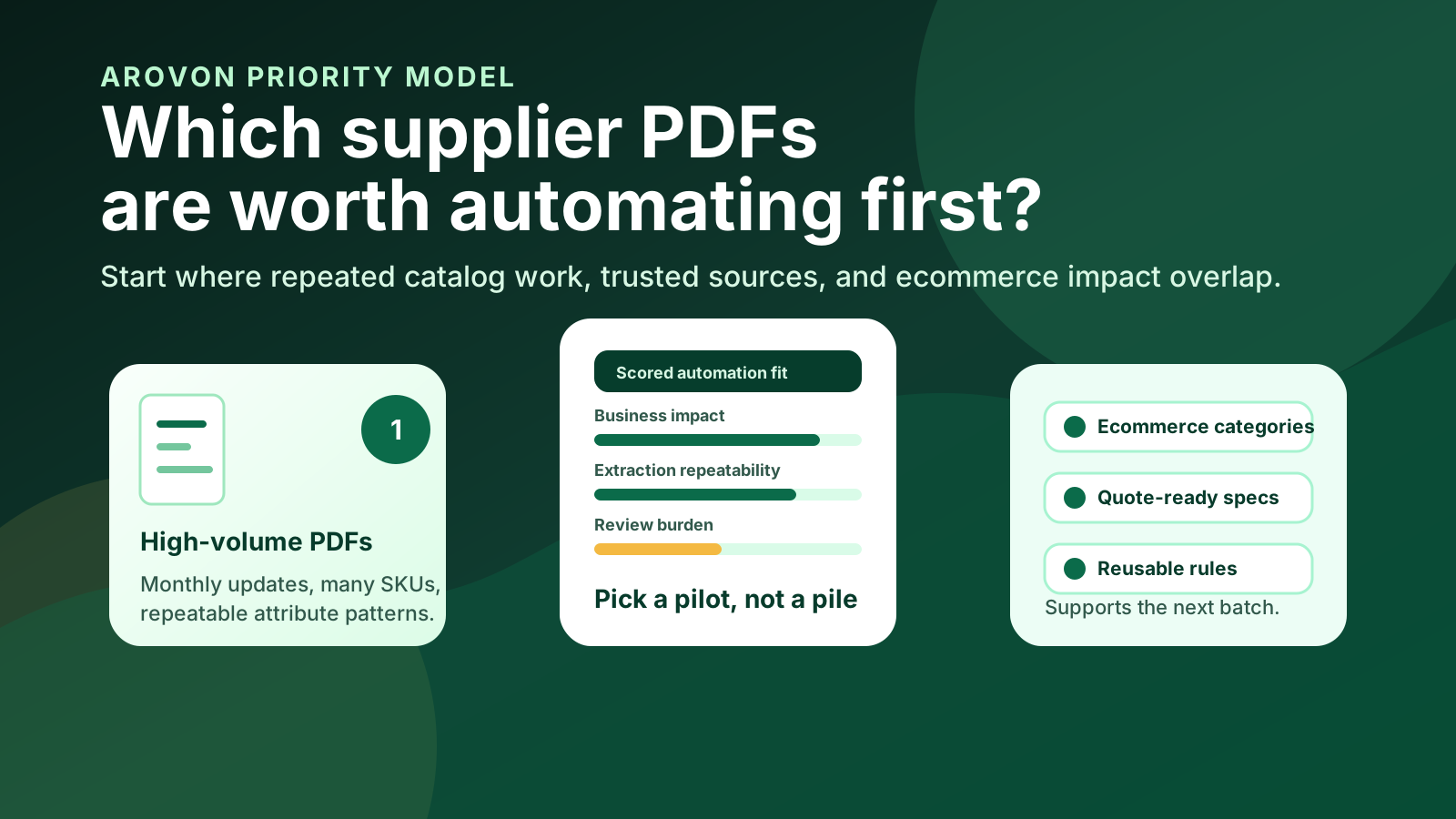
Most distributors do not have one supplier PDF problem. They have hundreds of them: price books, technical sheets, application tables, legacy catalogs, scanned updates, and spreadsheet exports that were turned into PDFs years ago. The hard question is not whether product data work should be automated. It is which supplier documents are worth automating first.
The best first project is rarely the largest or messiest file in the shared drive. A better pilot has enough volume to matter, enough structure to learn from, enough business impact to win support, and enough human review to keep the results trustworthy. That combination gives your team a repeatable workflow instead of a one-off data rescue.
Quick skim: what makes a PDF a good first automation candidate?
Repeated work: the supplier sends updates often enough that manual cleanup keeps returning.
Recognizable patterns: product families, tables, units, and part-number conventions are messy but not completely random.
Clear business impact: the data feeds ecommerce search, filters, quotes, relaunch work, or high-value product categories.
Reviewable output: a catalog manager or sales specialist can check exceptions without reading every page again.
Reusable rules: the attributes, units, synonyms, and validation checks will help future suppliers or adjacent product families.
Start with the business queue, not the document pile
Supplier PDFs become urgent for different reasons. A web-store relaunch needs clean categories and descriptions. A sales team needs quote-ready specs. A purchasing team needs updated units or pack sizes. An ecommerce manager needs searchable attributes before buyers can self-serve. If the first automation pilot is chosen only because a file is ugly, the result may be technically impressive but commercially invisible.
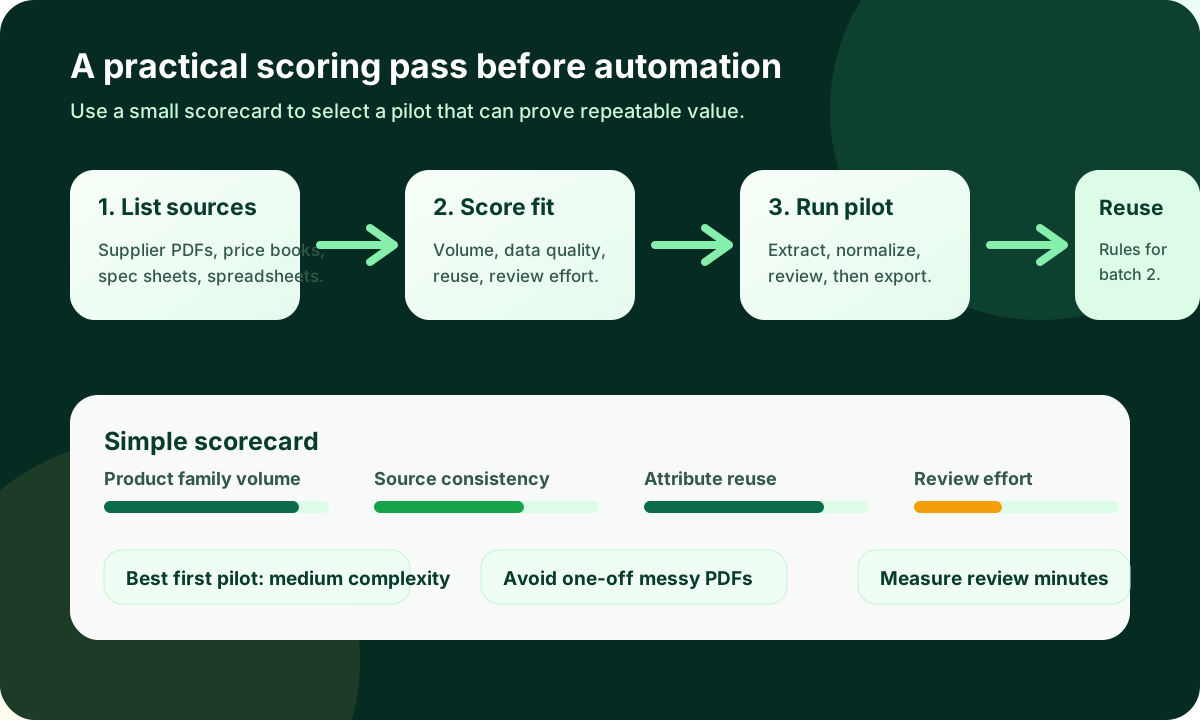
Create a short list of supplier documents that already block a visible workflow. For each candidate, write down the product family, number of SKUs, update frequency, current manual steps, downstream destination, and the team that will review the results. This turns “we have too many PDFs” into a ranked business queue.
A good first PDF automation project should prove a repeatable operating model, not just demonstrate that one difficult document can be parsed.
Score each PDF on five practical dimensions
A simple 1–5 scorecard is enough. You are not trying to create a perfect mathematical model. You are trying to avoid two common mistakes: starting with a low-impact document because it is easy, or starting with an extreme exception because it looks painful.
Volume and frequency: prioritize PDFs with enough SKUs or recurring updates to create real time savings. A 20-page supplier update every month may be more valuable than a 500-page historical catalog that will not change again.
Source quality: look for documents where tables, headings, units, and product groupings are visible enough to extract and review. Poor scans, mixed languages, and inconsistent page layouts are possible, but they increase review effort.
Attribute reuse: favor product families where extracted fields will become filters, variants, specifications, or reusable validation rules. Fasteners, springs, bearings, seals, tools, and consumables often reveal repeatable attribute patterns.
Business impact: score higher when the output supports ecommerce search, quote turnaround, relaunch readiness, ERP-to-web enrichment, or a high-margin product line.
Review effort: a PDF is a better first candidate when exceptions can be highlighted and checked by a specialist. If every row requires a product engineer to reinterpret the source, automation may still help later, but it is not the easiest first proof point.
Avoid the tempting but weak first projects
The easiest supplier file can be a poor pilot if the data has little downstream value. A clean PDF with a few simple products may prove that extraction works, but it will not show whether the workflow can reduce real catalog workload. The opposite trap is the “worst PDF in the company” project. If the source is full of scanned images, obsolete products, inconsistent tables, and ambiguous units, the team may conclude that automation is unreliable before it has seen a fair use case.
A strong first pilot sits in the middle: painful enough to matter, structured enough to review, and important enough that sales, ecommerce, or operations will notice the improvement.
Design the pilot around review, not blind automation
For industrial product data, the goal is not to remove people from the process. The goal is to stop asking people to retype and reformat the same supplier facts over and over. Your first pilot should define what the system extracts, what it normalizes, which rows are flagged as uncertain, and who approves the final output.
For example, a supplier PDF for bearings may include bore diameter, outside diameter, width, material, seal type, load ratings, and manufacturer part numbers. The automated workflow can extract those fields, normalize units, map synonyms, and prepare ecommerce-ready rows. A reviewer should then focus on uncertain values, missing fields, odd unit conversions, and category-specific rules before the data moves into a PIM, Shopify metafields, BigCommerce catalog fields, Adobe Commerce attributes, or a staging spreadsheet.
What to measure in the first month
A useful automation pilot needs operational metrics, not only a demo screenshot. Track how long manual cleanup takes today, how many rows are extracted, how many values need correction, which attributes are reusable, and how many products can be published or quoted faster because the source data is now structured.
Manual minutes avoided per supplier update.
Percentage of rows accepted with no change, minor edits, or major review.
Number of reusable attribute rules created for the next batch.
Products moved from source PDF to ecommerce-ready or quote-ready data.
Common exception types, such as missing units, mixed pack sizes, duplicate part numbers, or inconsistent product naming.
These numbers help management understand the business case. They also help the catalog team improve the next batch instead of repeating the same cleanup problems.
Where Arovon fits
Arovon is built for the work between supplier documents and usable product data. The workflow starts with PDFs, spreadsheets, or supplier files, extracts product rows and attributes, normalizes the structure, keeps source context visible, and gives your team a review step before export. That makes it useful before a web-store relaunch, before a bulk import, or before a PIM project that depends on cleaner upstream data. You can read more about the broader workflow in the product data automation overview and the practical steps for extracting product data from supplier PDFs.
If you are deciding where to start, choose one supplier PDF family with visible business impact and a reviewable structure. Then run a narrow pilot, measure the review effort, and turn what you learn into reusable rules. When you are ready to test that approach on your own supplier documents, request a demo or review the pricing options.