How to Create a Product Attribute Model for Industrial Tools and Consumables
7/16/2026
A practical model for turning drills, blades, abrasives, adhesives, and other industrial consumables into searchable, reviewable ecommerce product data.
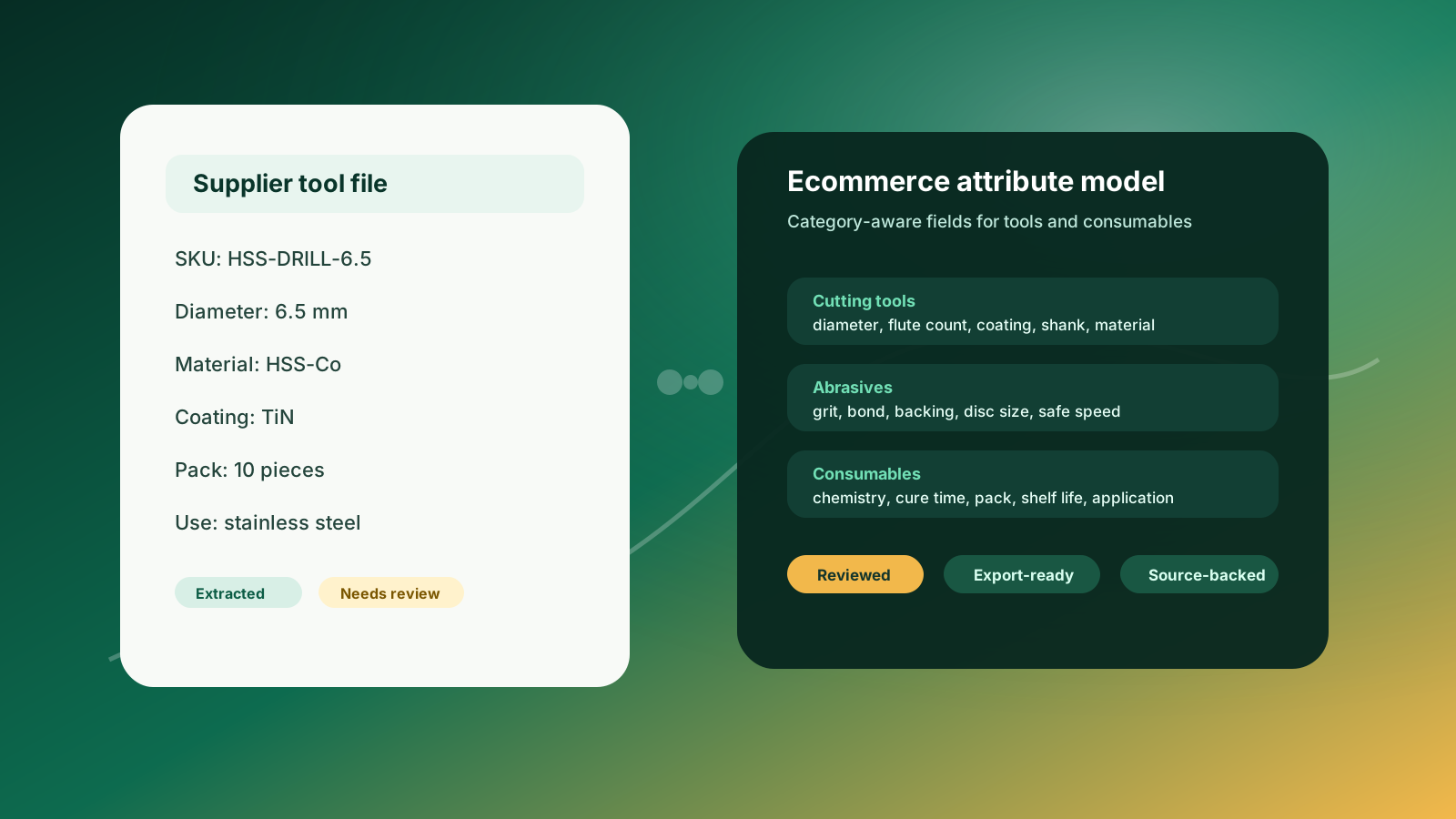
Industrial tools and consumables are easy to underestimate. They are small, frequently replenished, and often buried in supplier catalogs with hundreds of similar rows. But for ecommerce, they are some of the hardest product families to model well. A drill bit, cutting disc, saw blade, grinding wheel, adhesive, welding wire, or safety consumable may look simple until buyers need to compare diameter, material, coating, grit, bond, pack size, compatible substrate, safe speed, shelf life, or application limits.
If those details are trapped in PDFs, inconsistent spreadsheets, or free-text descriptions, buyers cannot filter confidently and sales teams keep answering the same product-identification questions. A useful attribute model gives catalog teams a controlled way to extract, normalize, review, and export the facts that actually help a buyer choose the right item.
This guide is for distributors preparing product data for ecommerce, PIM, Shopify, BigCommerce, Adobe Commerce, or a staging table. It follows the same source-backed approach Arovon uses for technical product filters and product data review workflows: move fast, but keep review and source context in the process.
Quick skim: what the model needs to do
Separate common commerce fields from category-specific technical attributes.
Model cutting tools, abrasives, adhesives, welding consumables, and general MRO consumables differently instead of forcing one generic template.
Normalize units, packs, materials, coatings, and application language before they become filters.
Keep source references and review status visible so technical values are not published blindly.
Map approved fields into ecommerce search, filters, product titles, variants, and CSV or API exports.
Start with the buyer decision, not the supplier column
Supplier files often organize tool data around manufacturing logic: series, order number, packaging, legacy catalog group, or a column set that only makes sense inside that supplier's PDF. Ecommerce buyers think differently. They usually start with a job to be done: drill this material, cut this profile, grind this surface, bond these substrates, refill this dispenser, or restock a consumable that matches a known part number.
That means the first modeling question is not “what columns did the supplier provide?” It is “what must a buyer compare before they can choose safely?” For industrial tools and consumables, that comparison usually combines identity, compatibility, dimensions, performance, pack economics, and safety or handling notes.
A good attribute model turns supplier language into buyer decisions without losing the source value that a product specialist may need to verify.
Use a common core for every item
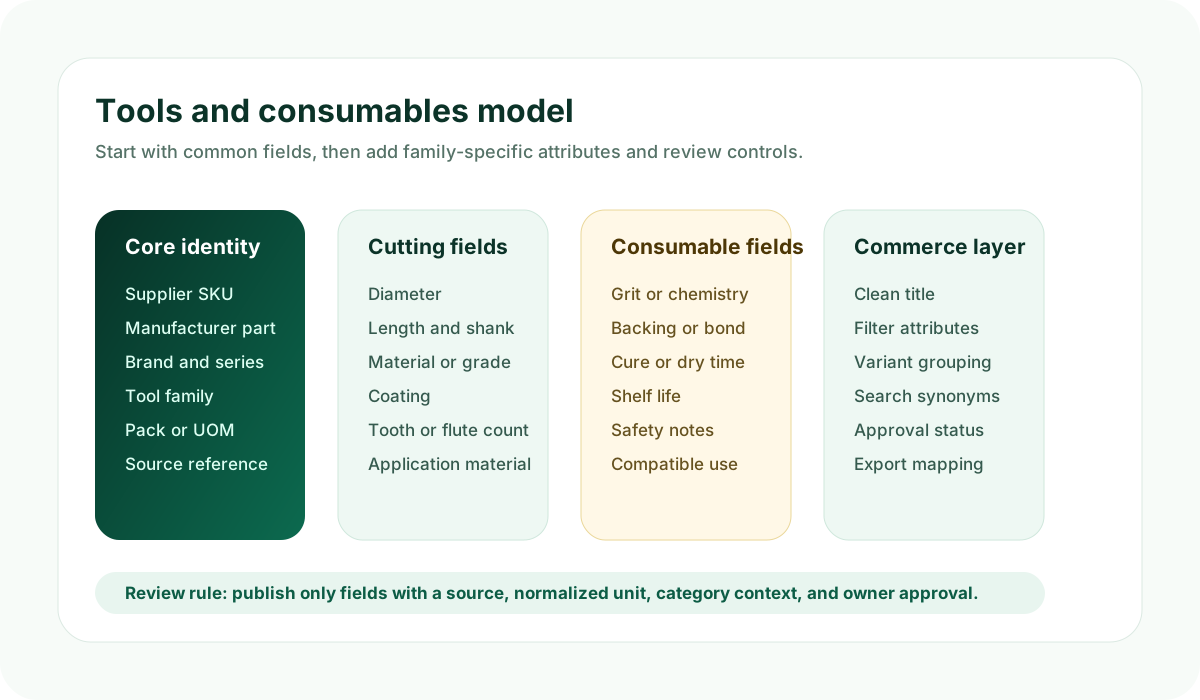
Even when tool families vary, every item needs a shared core. This core prevents duplicates, supports search, and gives downstream systems a predictable row shape.
Supplier SKU, manufacturer part number, brand, product family, series, and replacement or cross-reference notes.
Short ecommerce title, product type, category path, and buyer-facing description.
Pack quantity, unit of measure, minimum order quantity, and whether the item is sold individually, by pack, by case, or by roll.
Primary source document, page or row reference, extraction confidence, review owner, and approval status.
ERP item number or internal SKU if the product already exists in the distributor system.
This common core should be stable across drills, taps, cutting discs, blades, adhesives, gloves, filters, and shop supplies. The family-specific attributes should extend it, not replace it.
Add family-specific fields where comparison depends on technical detail
The mistake many distributors make is treating all tools as “size plus description.” That creates weak filters and awkward product pages. A cutting tool, abrasive, and adhesive need different fields because buyers compare them in different ways.
Product family | Attributes that usually matter |
|---|---|
Cutting tools | Diameter, overall length, flute count, shank type, material, coating, point angle, tooth count, compatible work material |
Abrasives | Disc or belt size, grit, backing, bond, abrasive material, thickness, arbor, maximum RPM, wet or dry use |
Blades | Length, width, thickness, TPI or tooth geometry, blade material, set, compatible machine, target material |
Adhesives and sealants | Chemistry, color, cure time, working time, temperature range, container size, shelf life, approved substrates |
Welding consumables | Diameter, wire or rod type, alloy, classification, shielding gas, position, spool or package size, certifications |
The goal is not to create hundreds of fields on day one. Start with the attributes that buyers use to narrow choices and that your team can verify from supplier material. Then expand as review patterns become repeatable.
Do not make every attribute a storefront filter
A product attribute model is broader than the filter menu. Some attributes belong in search, some belong in comparison tables, some belong in specifications, and some should stay internal for review or mapping. For example, “coating” may be a useful drill filter, while “source page” should remain internal. “Shelf life” may be crucial on an adhesive product page but less useful as a category filter unless buyers actively narrow by it.
Use filters for values that buyers repeatedly use to narrow a category.
Use specifications for technical facts buyers need before purchase but may not filter by.
Use tags and synonyms for search vocabulary, trade names, abbreviations, and alternate supplier wording.
Use internal fields for source tracking, review notes, confidence, mapping status, and import readiness.
This is especially important before sending data into platform-specific structures such as Shopify metafields or a PIM. The model should decide what a field means before the ecommerce platform decides where it is displayed.
Normalize values before they become buyer-facing
Supplier catalogs rarely agree on units, spelling, abbreviations, or pack language. One file may say “6,5 mm,” another “6.5mm,” and a third “1/4 in.” Abrasive grit may be written as “P80,” “80 grit,” or “Grade 80.” Adhesive container sizes may mix ml, oz, cartridges, cases, and tubes. If those values flow directly into ecommerce, filters fragment and buyers see duplicates that look like different products.
Store the original source value exactly as found.
Create a normalized value and unit for comparison and filtering.
Keep a display value for the product page when the original language is buyer-friendly.
Flag values that require human review, especially unit conversions, ambiguous pack quantities, and safety-related data.
Document rules so the same supplier pattern is handled consistently next time.
Handle consumables as replenishment products
Consumables are not only technical products; they are replenishment products. Buyers care about pack size, usage rate, reorder convenience, and compatibility with tools or processes they already use. A sanding disc may need grit and diameter, but it also needs pack quantity, backing type, hole pattern, compatible machine, and whether the buyer is comparing cost per disc, box, or case.
For adhesives, lubricants, cartridges, tapes, welding wire, or shop supplies, the model should make pack and usage fields explicit. Otherwise, ecommerce pages may show technically correct descriptions while still making it hard to compare what the buyer actually receives.
Build review controls into the model
Industrial tool data should not be treated as automatically publishable just because it was extracted from a supplier file. A coating, grade, maximum RPM, compatible material, or chemical handling note can affect buyer trust. The model should include review states such as pending, approved, needs source check, needs product specialist, and ready for export.
A practical pilot plan
Choose one product family with enough volume to matter but a manageable attribute set. Cutting tools, abrasives, or adhesives are often good candidates because the buyer comparison problem is obvious and the supplier data is usually structured enough to review.
Pick 300 to 1,000 SKUs from one supplier or product family.
Define the common core and 10 to 20 family-specific attributes.
Extract values from supplier PDFs or spreadsheets into a staging table.
Review missing, conflicting, and normalized values with a product owner.
Export only approved fields into ecommerce, PIM, or a controlled CSV import.
Measure filter completeness, manual cleanup time, and how many rows can be reused for the next supplier.
If you want to see how this would work on your own supplier files, request a demo, review pricing, or contact Arovon. Arovon helps distributor teams turn supplier tool and consumable data into source-backed product rows that can be reviewed before they reach ecommerce.